How to Get a US Proxy IP Address

If you want to get a US proxy IP address, you shouldn’t worry because the USA is the country with the most proxy servers in the world, so getting one isn’t that hard because there are many.
The challenge is getting a good-quality one that websites don’t block every minute.
In this guide, I will explain two methods to get a high-quality US proxy address and browse the internet looking like an American user with no risks of security, no account bans, little to no verification captchas, and no slow connection problems.
Let’s get started.
What is a US Proxy IP Address
A proxy server sits between you and your target website so when you send a request to that website, let’s say for example, you send to Facebook a request to log into your account, that request is going to be delivered by the proxy on your behalf to Facebook while showing its own IP address instead of yours.
So if you’re connecting to Facebook from Spain while an American proxy is activated on your device, Facebook will think your connection is coming from the US since the IP address it sees, i.e the proxy’s IP address, is from there.
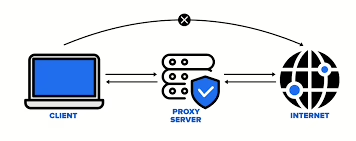
It’s that simple.
However, detection systems have become very sophisticated lately, and some websites like Facebook, Netflix, and TikTok immediately detect that you’re using a proxy, so they block your connection.
To avoid this from happening, you need to use a good-quality proxy. Which beggs the question:
What are the criteria of a high-quality US proxy?
Here are the most important criteria to look for:
- Preferably be residential or mobile proxies only, avoid datacenter.
- Clean history and low fraud scores
- Fast response times, ideally under 500ms.
- Provider’s success rate must be 95-99%
- Guarantee of 99.9% uptime so your connection doesn’t drop mid-session.
- Possibility of targeting specific cities in the US, like Los Angeles, Miami, Chicago, etc.
- And finally, the IP should be precise and exactly match the simulated GPS location because if your IP says you’re in New York but your browser’s timezone says Spain, you’ll be flagged immediately.
Now that you know what a good proxy should have as criteria, how can you get one?
Let’s find out:
How to get a US Proxy IP Address
There are two methods that I use daily to find great US proxy IP addresses.
The first one is a bit long but worth it, the second one is faster, easier, and simpler.
Let’s get into more details about both methods:
Method 1: Buy a US proxy from a provider then integrate it into your browser
There are many proxy providers out there, but my favorite one is Floppydata because it offers proxies that check all the boxes we’ve mentioned in the section about the criteria of high-quality proxies.
Let’s see how to buy a US proxy from Floppydata:
1. Open an account on Floppydata or log in if you already have one.
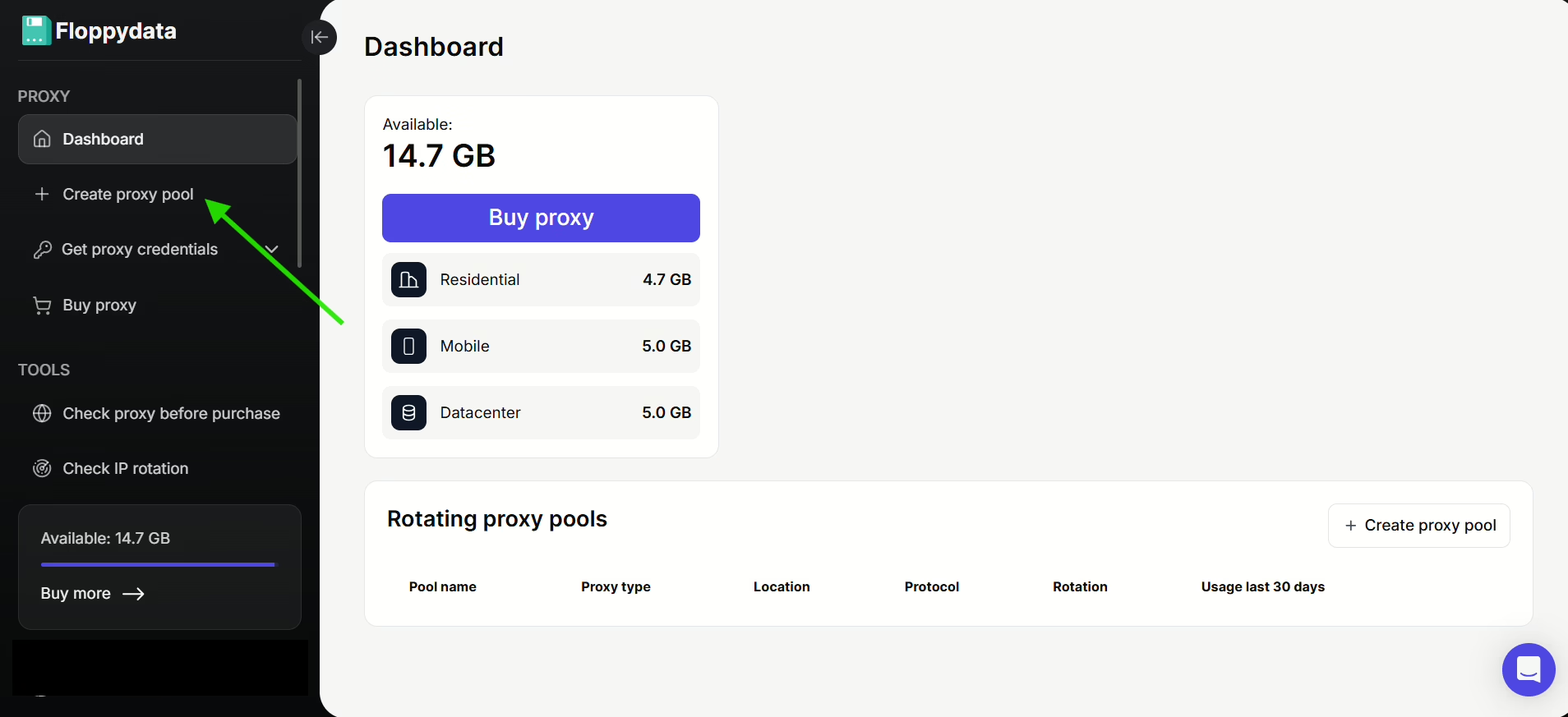
2. Inside the dashboard, click on Create proxy pool on the left sidebar
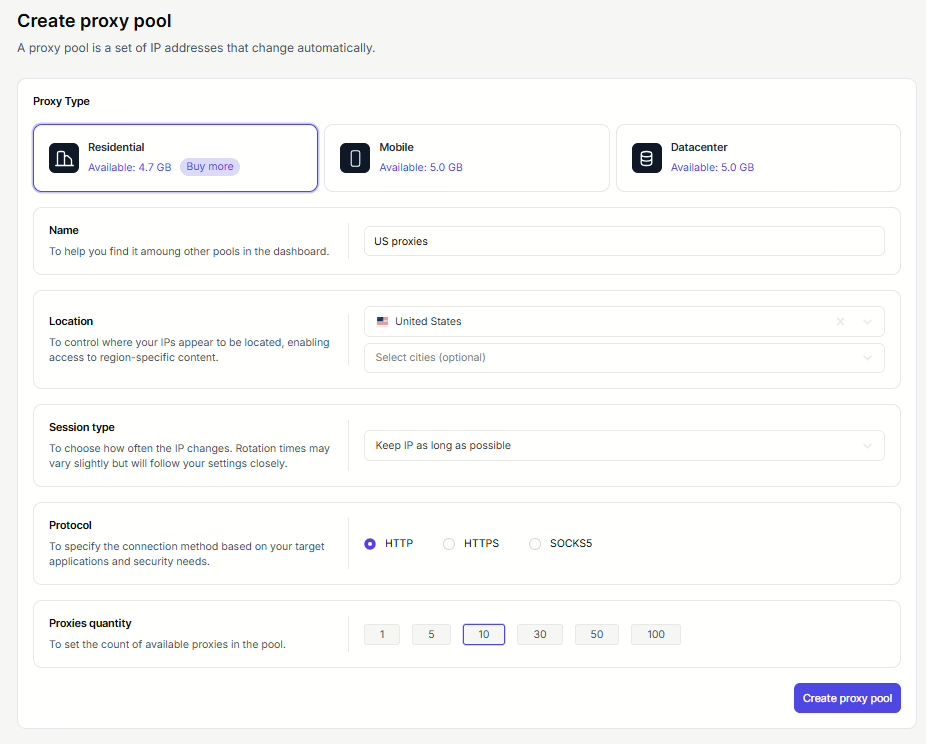
3. Fill in the necessary details according to your needs. Make sure you select “United States” in Location, you can also choose specific cities if you want to.
4. Click on the Create proxy pool button. Here’s how your proxy list should look:
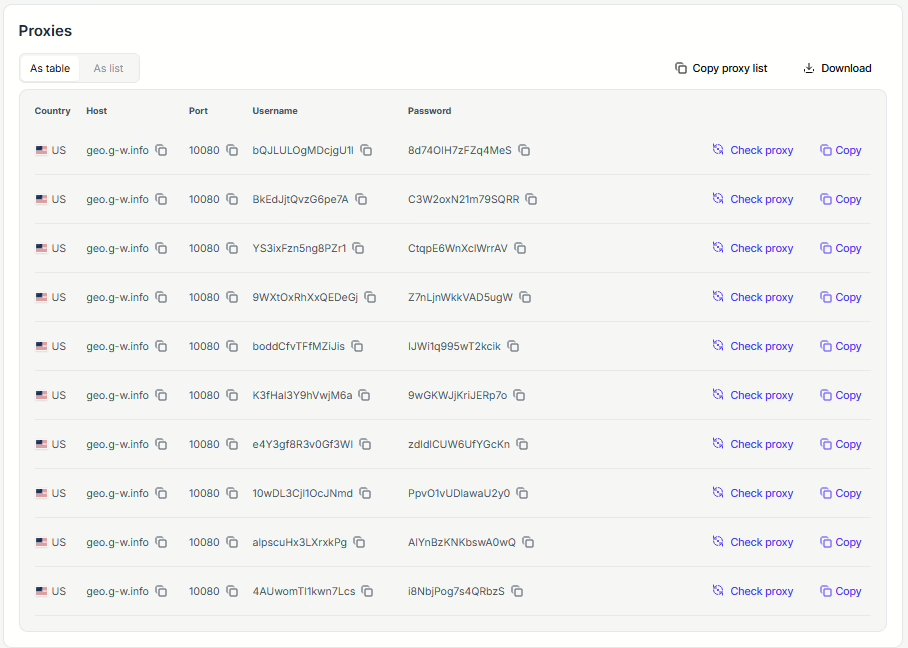
The proxies you have bought would become yours to use freely on any browser you want, whether it’s Chrome, Firefox, Opera, or even an anti-detect browser if you need extra anonymity.
Speaking of anti-detect browsers, in the next steps, I will show you how to use one of your Floppydata proxies on 1Browser, which is an anti-detect browser:
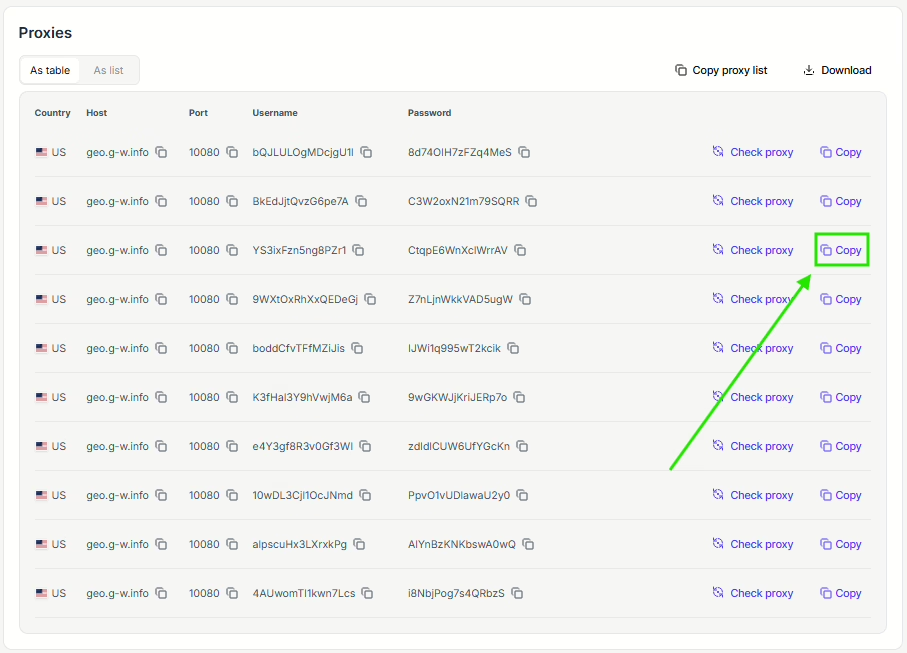
1. First, choose a proxy from your Floppydata list and copy its address by clicking on the copy symbol, as the image shows:
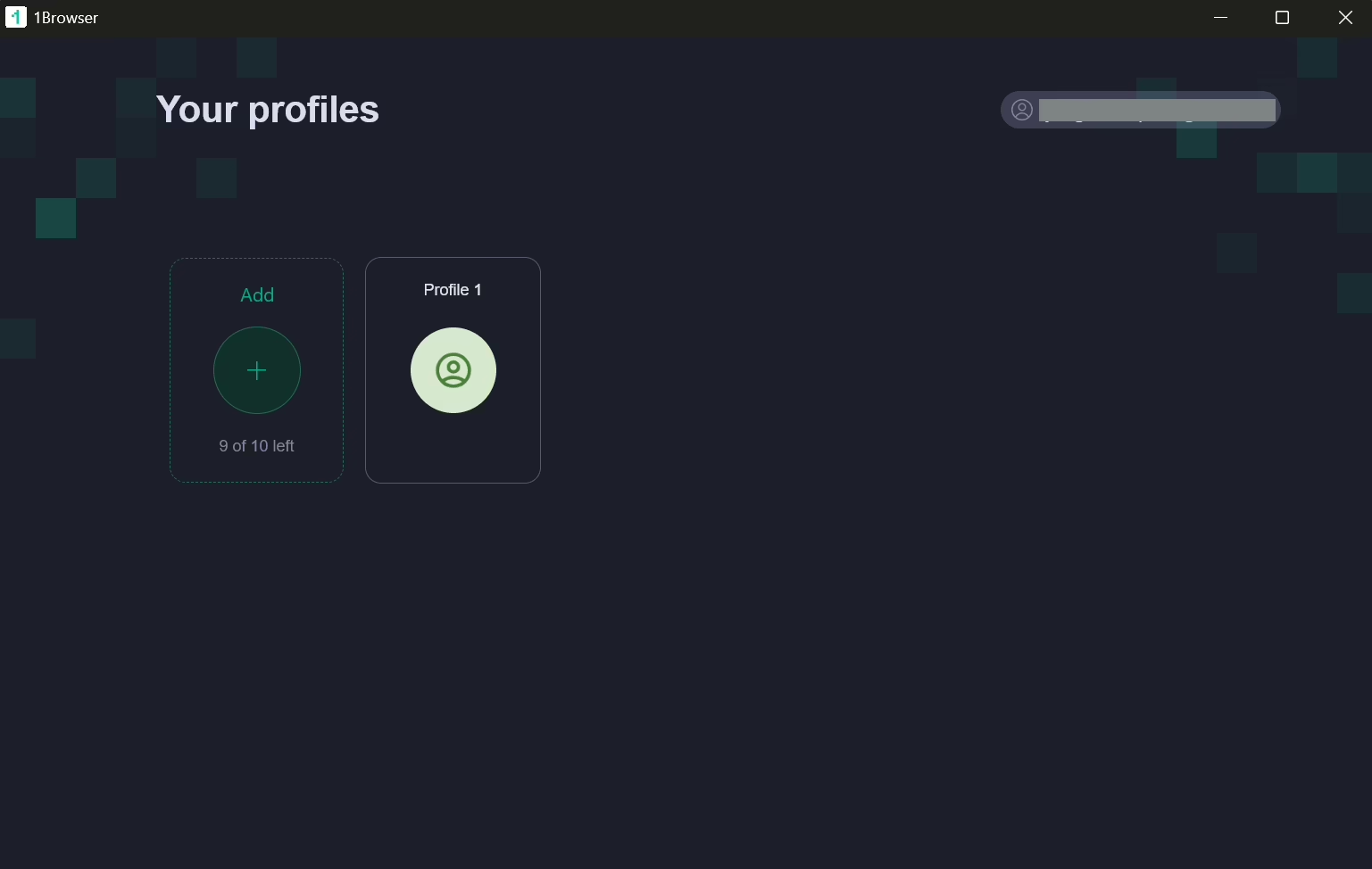
2. Download 1Browser on your device, open it, sign in, and create a profile (you can create up to 10 profiles for free).
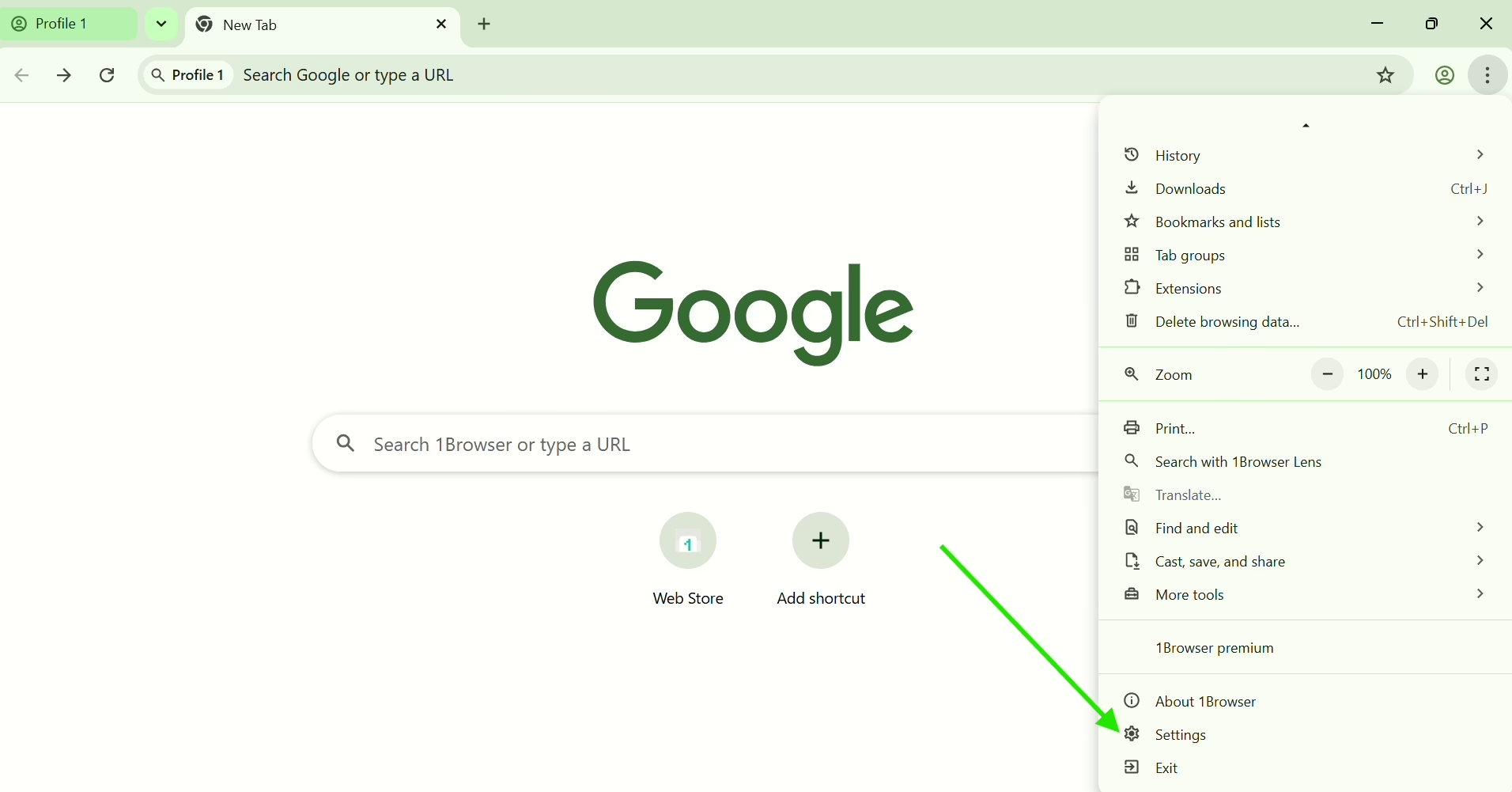
3. Open your profile, click on the three dots at the top right corner, then select Settings.
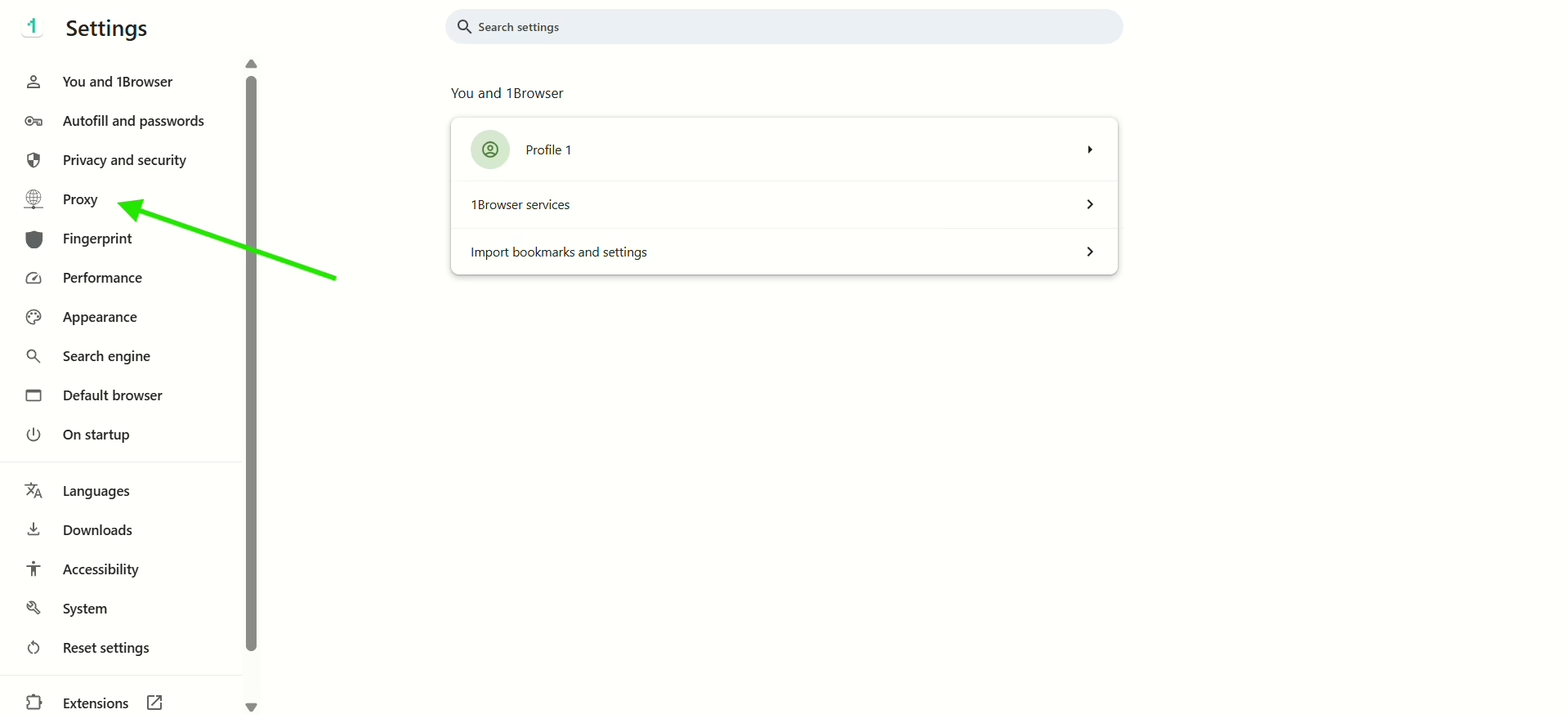
4. On the left sidebar, select Proxy
5. There are 5 options to choose from under “Proxy type”. The one that interests us in this step is the “User proxy” type. Select it and paste the proxy address you’ve copied from Floppydata inside the input field under “Proxy settings”. Wait a little bit until the green “Proxy connected” shows up.
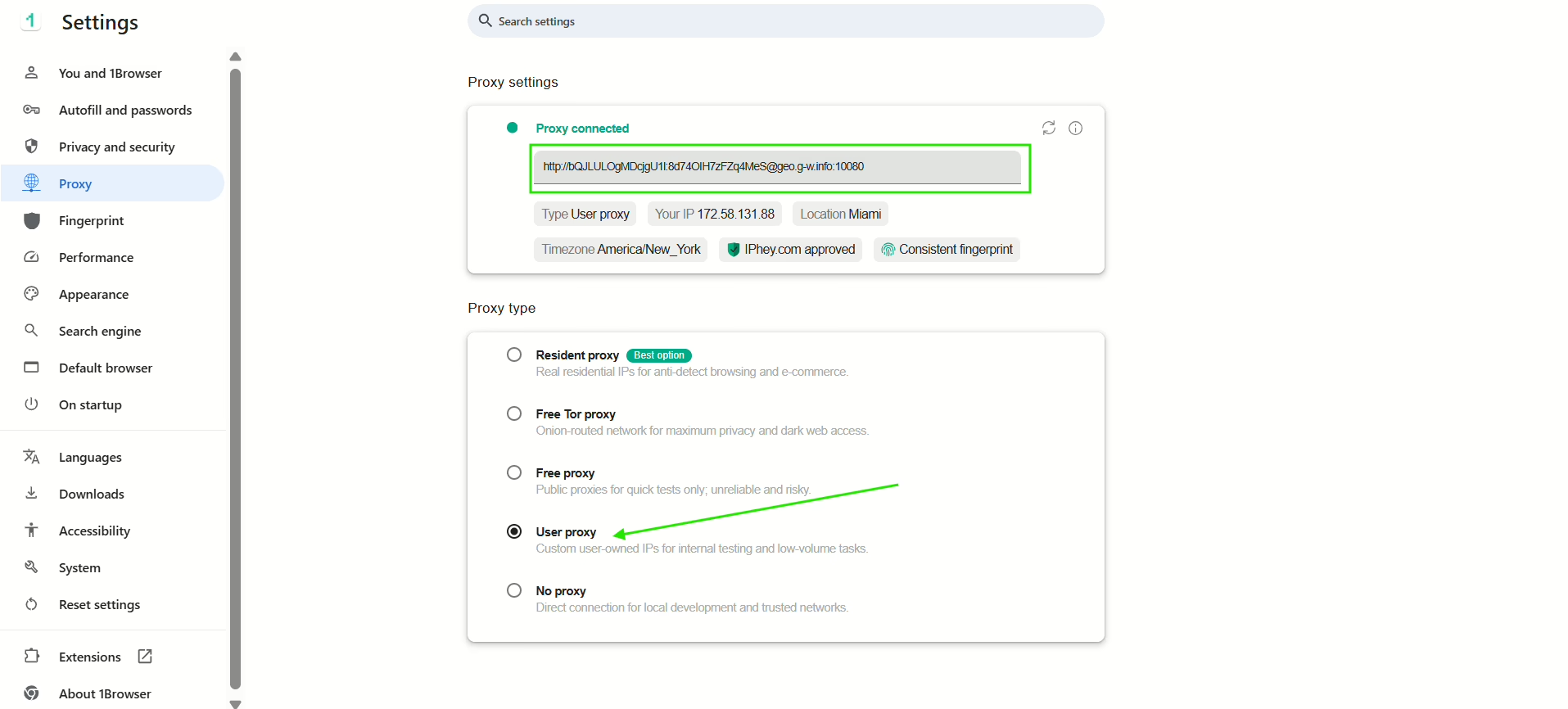
Now, your US proxy is activated and you’re ready to use 1Browser as if you’re a user that’s in the USA!
If you feel like the steps from method 1 are too long and a bit too technical, then I’m sure that the second method will be easier for you because it’s like a shortcut that skips the whole part about buying a proxy from an external provider.
Method 2: Get both a proxy and a browser in one place using 1Browser
If you want to skip the part where you sign up to a proxy provider, buy proxies from there, and integrate the proxies into your browser, you just have to use 1Browser directly.
It’s a proxy browser that already has integrated proxies in it. So you just have to open the browser, select your proxy type and location, and you’re all set to connect with a US IP address, without having to buy one from an external source!
Let’s see how you can do it with 1Browser:
1. Open 1Browser and go to settings
2. Select Proxy from the left side bar
3. Here are the available proxy types, all you have to do is select one of the first three options and choose the US as your location and the browser will directly connect to it.
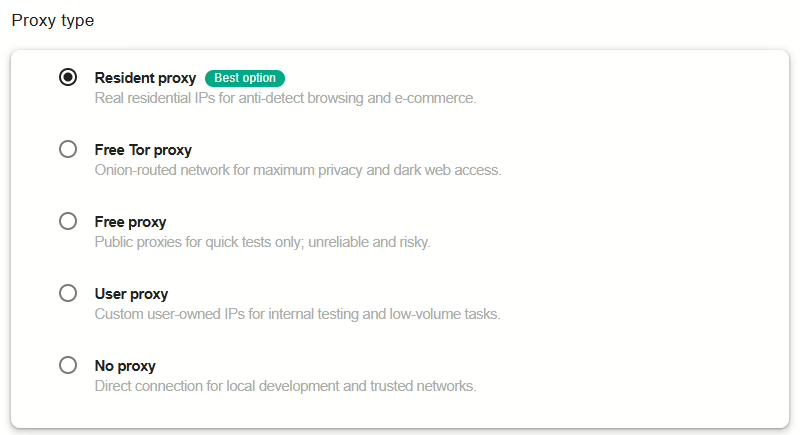
Example, using the “Free proxy” type:
Select “Free proxies” option and select United States as your chosen Proxy country.
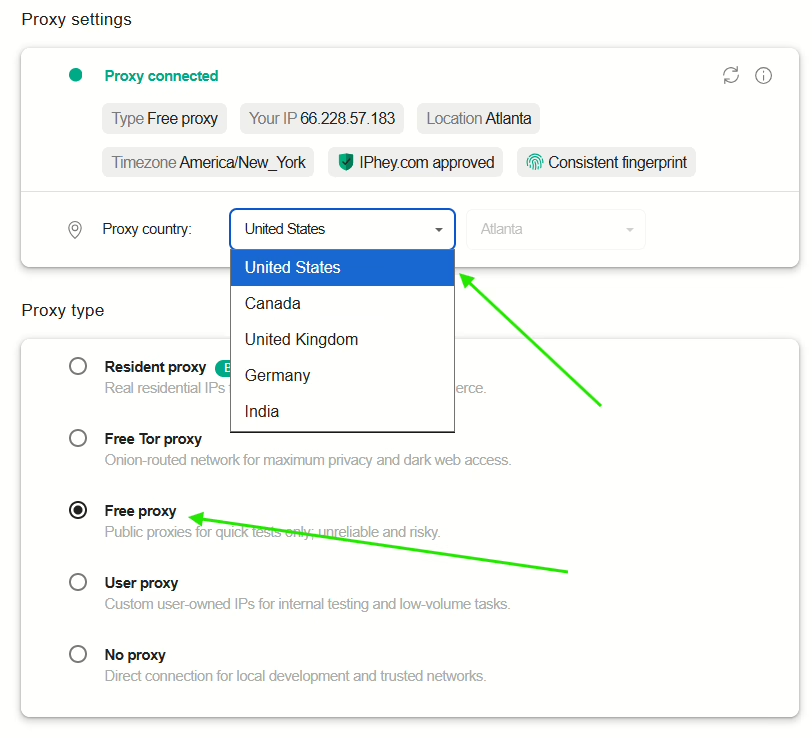
Once you see the green “Proxy connected” comment, it means your browser is now connected to that proxy and you’re using its IP address. Want proof?
To make sure your proxy is activated and working fine, use a What is my IP tool to check.
I used Whoer to check this connection, here is the result:
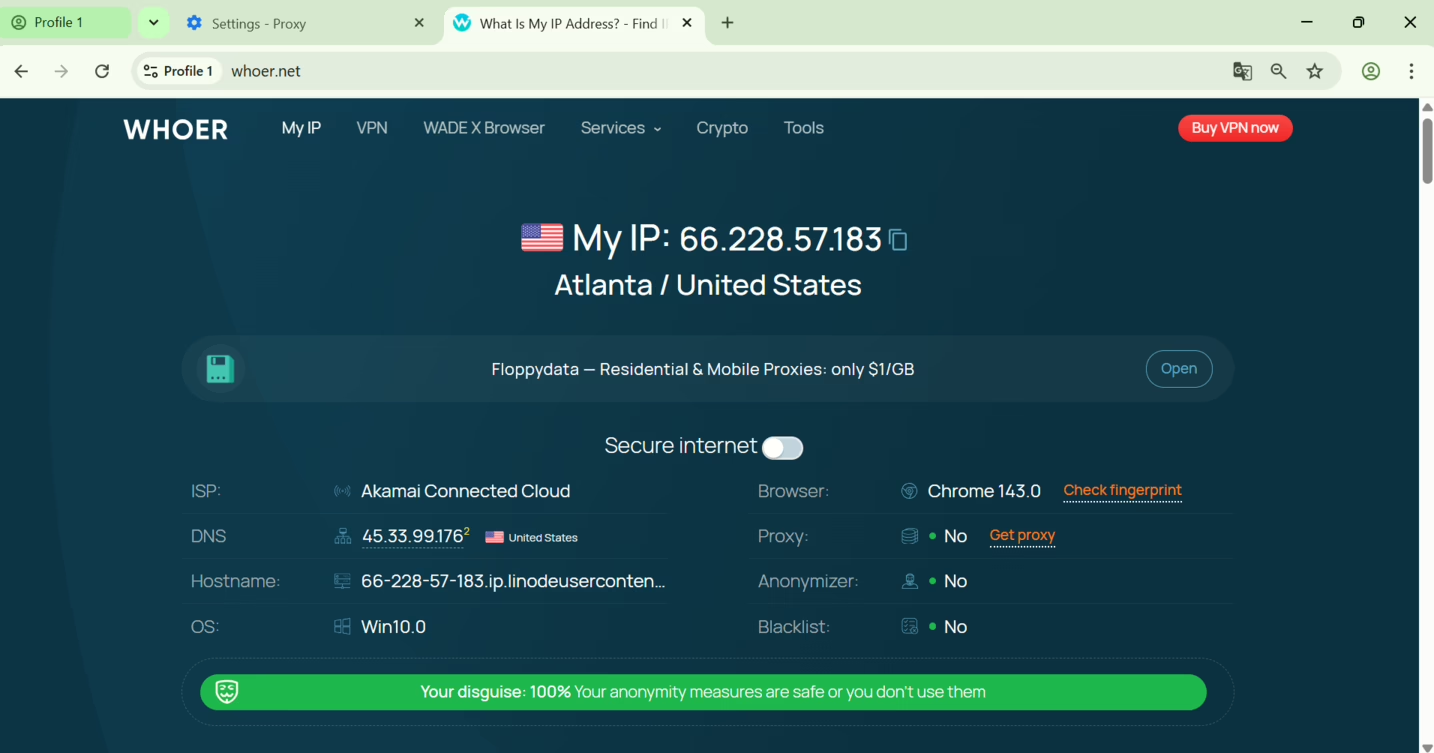
As you can see, my 1Browser profile is indeed connected to the free US IP address I selected.
Note: I highly recommend you use the “Resident proxy” type more often as it is the best option for more security, more stability, more quality browsing without blocks and restrictions. Any free option is attractive at first but you soon realise it’s a bad choice for important tasks because they either get blocked too much or are just too slow.
Final Thoughts
In this guide, I showed you two methods to get a US proxy IP address. The first method can be a bit long and time consuming because it requires the use of two separate platforms: a proxy provider where you buy your proxy and a browser where you will integrate that proxy to use it.
The second method is more straightforward and requires only one platform: the 1Browser proxy browser, where you can use its already integrated US proxies to navigate the internet on that same browser with a US IP address.
The best thing about 1Browser is that it allows you to create up to 10 profiles for free and use proxies from up to 5 locations for free as well, so if you can download it now and get your US proxy IP address quickly at no cost.