How to Run Multiple Accounts on Facebook Without Getting Banned

Facebook has become nothing if not trigger-happy with its bans. With little to no human oversight, social and professional lives are at risk despite doing everything by the book. That leaves even less breathing room for marketers, brands, and agencies for whom using multiple accounts is a daily necessity, not an avenue for abuse.
What usually causes bans? What are the consequences of getting one, and can you even do anything at that point? More importantly, what can you do to keep using multiple accounts on Facebook without annoying its automated watchdogs? Here’s everything you need to know, and how 1Browser can help.
Why Do People Get Banned From Facebook?
Your account can get banned for a lot of reasons. Frustratingly, Facebook isn’t exactly transparent when communicating why. While this helps prevent future abuse, it also means bans are harder to fight.
Meta’s Community Standards page outlines unacceptable behavior like threats and harassment, hate speech, impersonation, scams, and spreading misinformation. With a user base literally several billion strong, trying to ensure that using Facebook remains an enjoyable and safe experience makes sense.
Behavior considered spammy or bot-like may also trigger a ban. Going on a like binge or joining dozens of new groups at once is considered suspect. Such behavior can result in a ban if repeated enough times, even if it isn’t automated.
Business account bans
Trying to get around Meta’s ad policy restrictions is a surefire way for business accounts to get banned permanently. There’s zero tolerance for multiple ad destination redirects, misleading claims, or bait-and-switch tactics.
Advertisers also walk a thin line when promoting products in industries Meta finds risky. For example, cryptocurrency promotion is heavily regulated; advertisers need to ask for and get written permission before they can engage in it on Facebook.
Account integrity issues
On paper, account integrity violations happen as a result of suspicious behavior. Someone might try to set up a new account after getting banned or use fake names and photos to create multiple accounts. Scripted bots, scraping tools, sharing phishing links, message spamming, and maliciously using hacked accounts also qualify.
The problem is that legitimate behavior also gets flagged. You might get a new phone, forget to turn off your VPN, or log into your account when on vacation. This may suggest that an account was hacked and result in a swift ban.
What Happens When Facebook Bans Your Account?
What exactly happens can differ based on the type of account and how serious the cause is.
Slipups happen, and it’s not in Facebook’s interest to ban people for low-level infractions. That’s why a strike system is in place that gradually restricts what offending personal profiles can do on the platform:
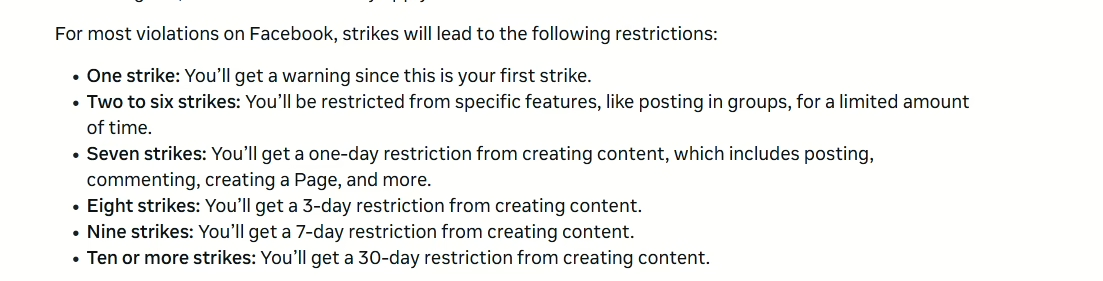
If the rule-breaking continues, the account will eventually be banned. This logs the user out and sets the account to private and also disables Messenger. In short, you’re left high & dry unless you appeal within 180 days and the decision lands in your favor.
Ad account & Business Manager bans
The rules for business-related accounts are stricter. Meta’s AI may reject an ad if it violates policy or gets classified as low quality. Too many such rejections in a month, and the account gets restricted, meaning it can’t post ads anymore. If it gets flagged for unusual activity, the account may be disabled.
Serious violations like trying to trick Meta’s AI review bots can result in an instant and permanent Business Manager ban. Worse yet, all the ad accounts, creatives, payment methods, etc., used in that manager are now off-limits. That makes starting from scratch much harder.
How Long Do Facebook Bans Last?
Getting a ban isn’t necessarily world-ending since the account can be restored in many cases. Security locks might lift in a couple of hours or days once you upload the required ID and pass the platform’s internal review.
On the other hand, there’s no set timeframe for restoring an account banned for integrity issues; you just have to wait for the appeal to go through. Serious offenses and rejected appeals lead to permanent and irreversible bans.
Can you get out of Facebook bans?
Sometimes, but you have to be careful, and the process is tedious. There’s still a chance as long as you have the option to appeal. That said, not being in a position to get banned in the first place is far more preferable.
Identifying the reason for the ban and correcting suspicious behavior first goes a long way. Things like consistently accessing the account from a single device and location or removing unsanctioned automations if it’s a business account.
You can then write a calm appeal. It should describe what happened, why you think the ban isn’t justified, and what concrete actions you already took to make things right. Don’t send follow-ups since they’re seen as spam.
How Many Facebook Accounts Can You Have?
Meta leaves little room for interpretation – each user only gets to have a single personal account.
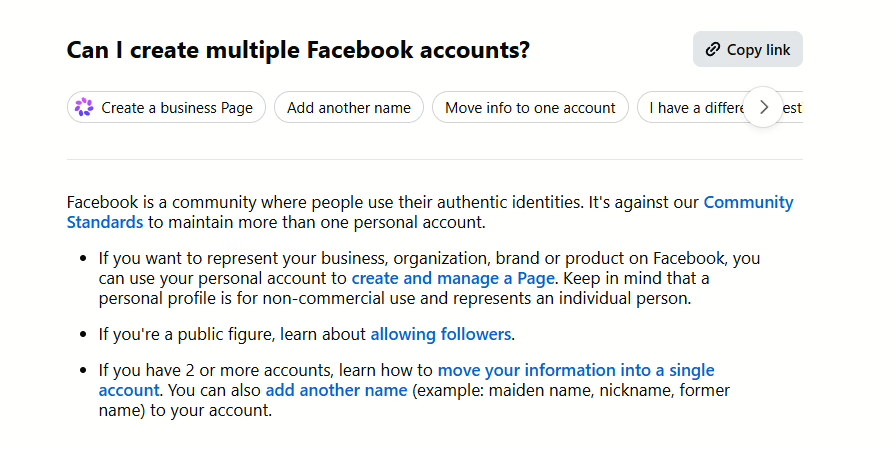
You can tie that one identity to different presences on the platform, like a Business Manager account and the Facebook Marketplace. However, if you’re asking yourself, “Can I have two Facebook accounts?” Meta’s answer is a clear no.
While the policy makes sense as a measure for preventing abuse, it doesn’t consider the legitimate uses of multi-accounting:
- Individuals might want to make a private account reserved for family and close friends and another professional, outward-facing one.
- Affiliate marketers might promote dozens of different products. Advertising them all using the same Business Manager doesn’t always make practical sense. Also, accidentally flagging one campaign for violations can spill over into unrelated ones.
- Global brand managers need to see how ads perform in various parts of the world, so they have to recreate the exact environment the ads interact with.
- Agencies that handle multiple brands’ social media presence need access to multiple accounts from the same device or location.
How to create multiple Facebook accounts without phone verification?
Pulling one over on the system has become trickier now that account activity monitoring on Facebook is largely AI-driven. Everything is scrutinized, so markers like your ID, email address, phone number, and payment methods can’t overlap with existing or banned accounts.
Facebook scrutinizes the fingerprint of each device you connect from. That fingerprint is the unique makeup of the device’s hardware specs and software specifics like the browser version it uses, display scaling, etc. If these also match, Facebook will likely flag any new account creation attempt and ban it outright.
So, the question of how to create multiple Facebook accounts becomes a matter of isolation. Each new profile needs to be unique and completely separate from all others. The absence of connecting markers results in fewer security checks. This makes it possible to set new accounts up using only fresh email addresses and authenticators for 2FA without involving phones.
How to Manage Multiple Facebook Accounts Safely?
The most effective way of managing multiple FB accounts while keeping them in good standing is by creating an isolated environment for each.
Security measures weren’t as stringent in the past, so using a proxy would have been enough. Residential and mobile proxies from dependable providers like FloppyData are still a cornerstone of successful multi-accounting. They provide the organic IP addresses and consistent geographic location info needed to pass as a unique real-world connection.
However, each account also needs to be distinct to not trip security triggers. In that sense, uniqueness means separate device and browser fingerprints, separate cookies, and distinct usage patterns.
Using separate devices on different networks technically works but gets expensive and unsustainable once you’re ready to scale. Antidetect browsers are more elegant and more effective. You can set up separate environments for as many Facebook accounts as needed. Identity markers don’t overlap or bleed between them, and you get to manage accounts through different browser instances on the same device.
How to Use 1Browser for Multi-Accounting?
1Browser is among the most straightforward antidetect browsers out there. The setup takes minutes from signup to creating your first profile, even if you’re totally new to the concept. It’s simple:
1. Visit the 1Browser homepage and click or tap the teal Download button. 1Browser works on Windows, Linux, MacOS, and Apple devices.
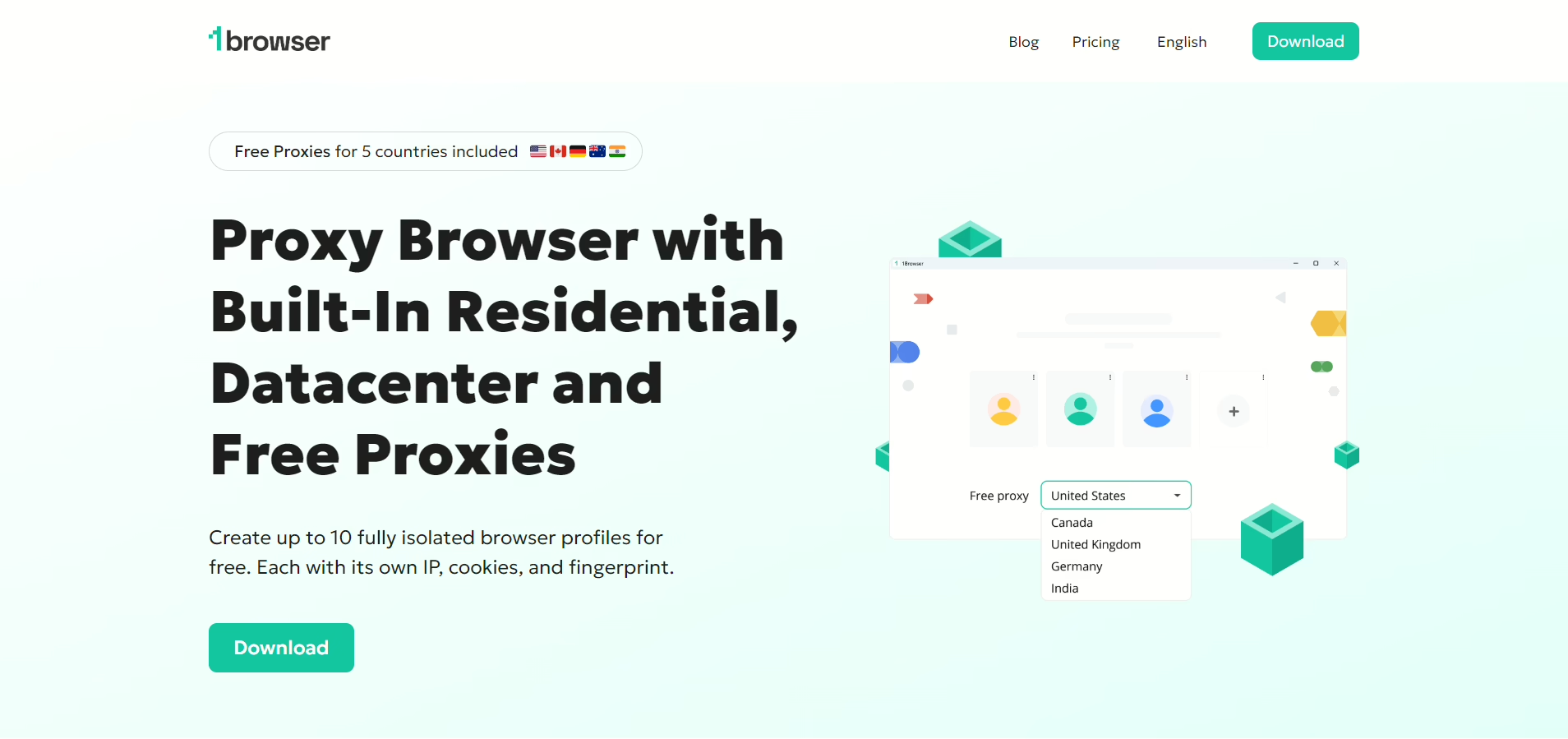
2. The download should finish quickly and open 1Browser’s dashboard automatically. Only one profile is available at first.
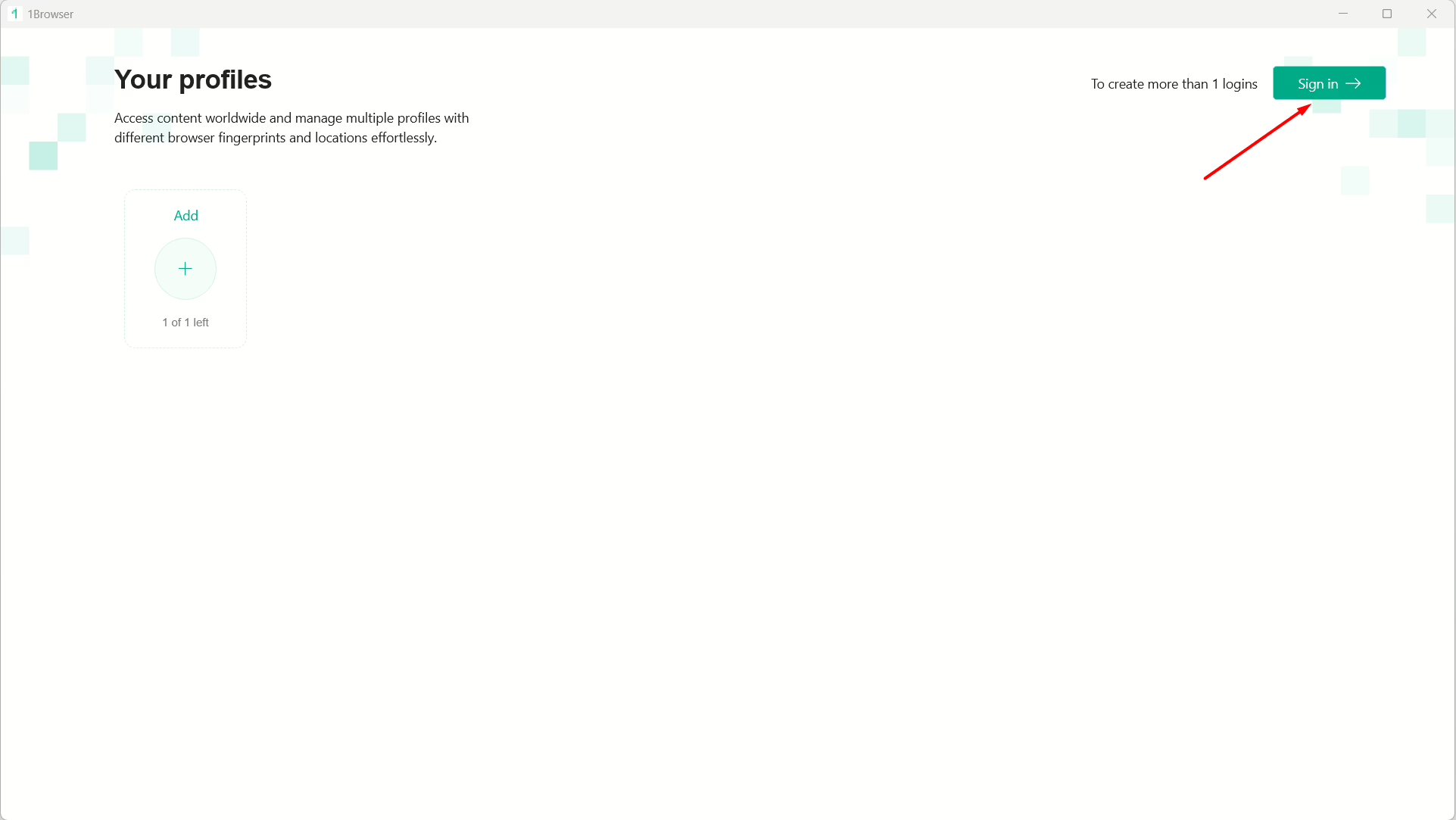
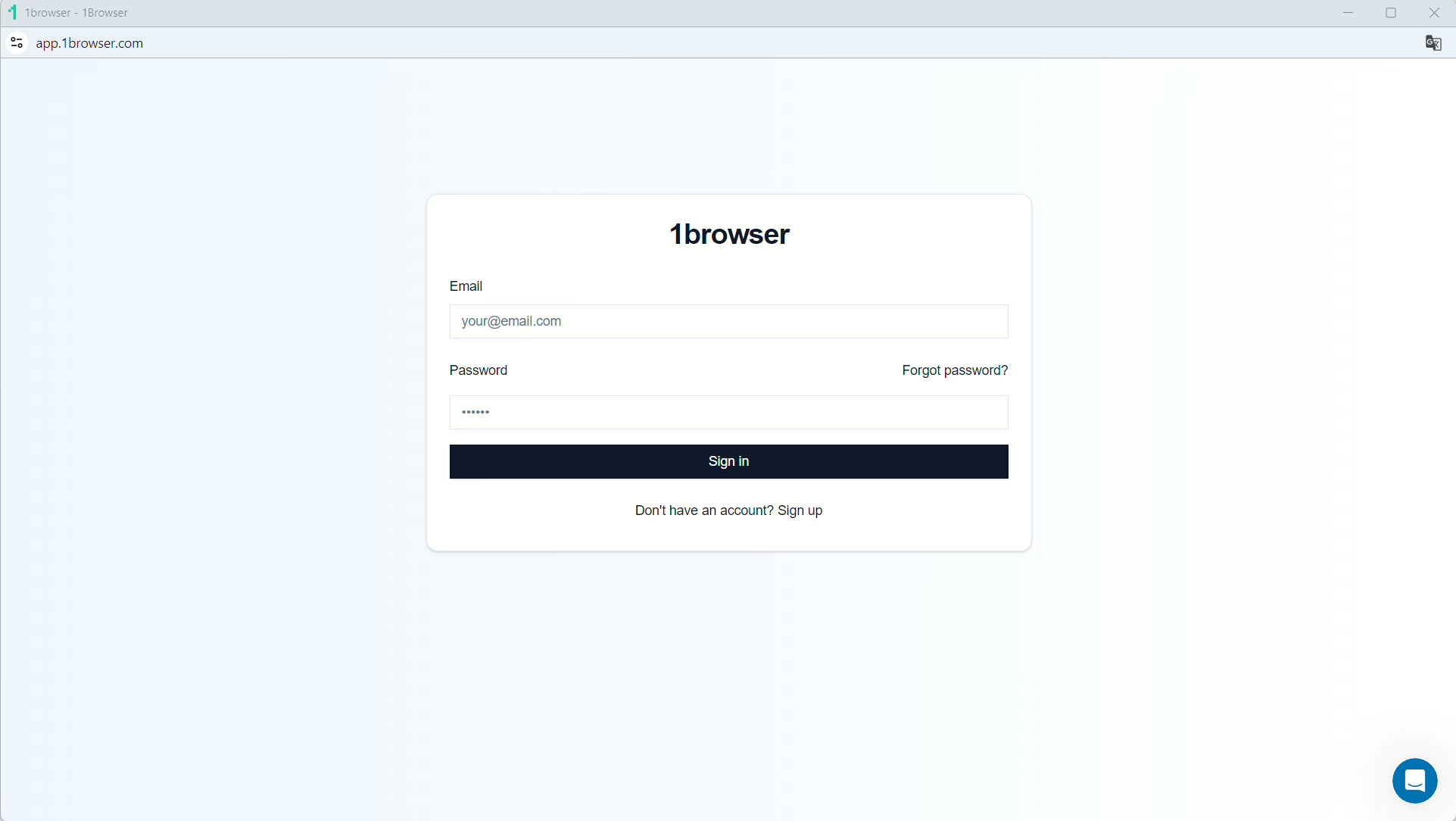
3. You’ll want to create a free account either by selecting “Sign Up” on the homepage or “Sign In” and then “Sign Up” on the dashboard. This nets you 10 profiles and doesn’t require any payment info.
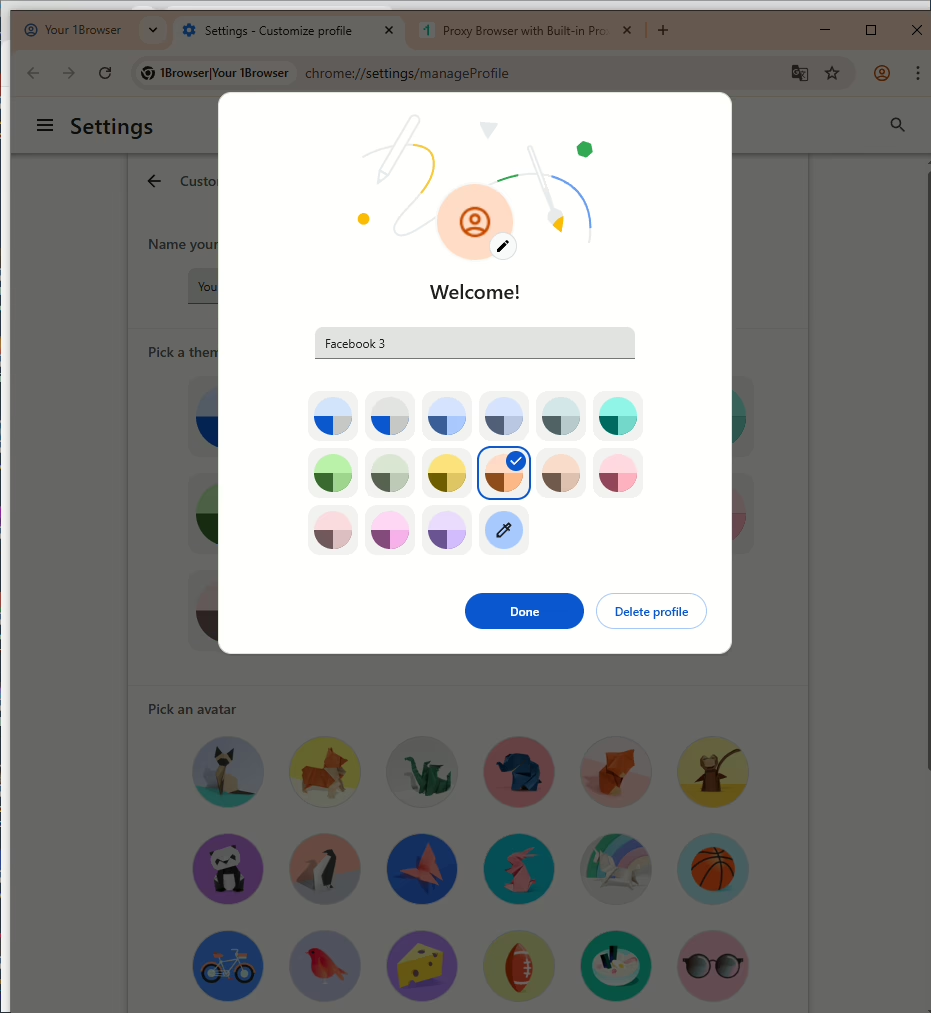
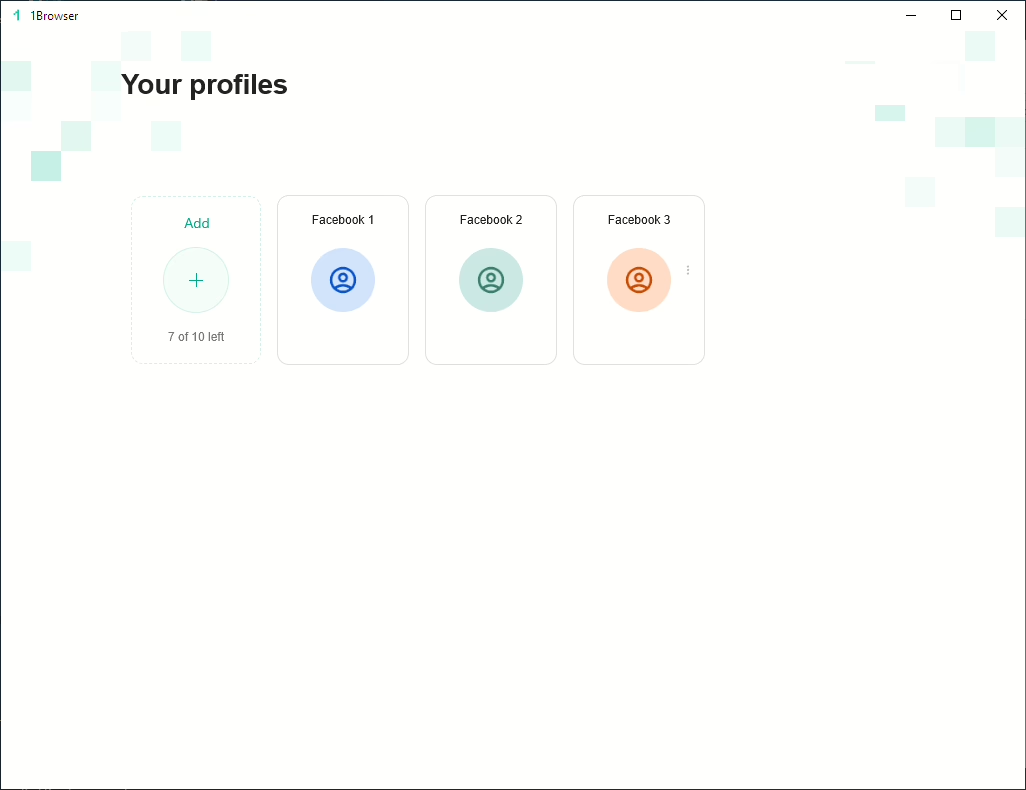
4. Select the plus icon to create your first browser profile. You can give it a name, color scheme, and icon to tell it apart more easily.
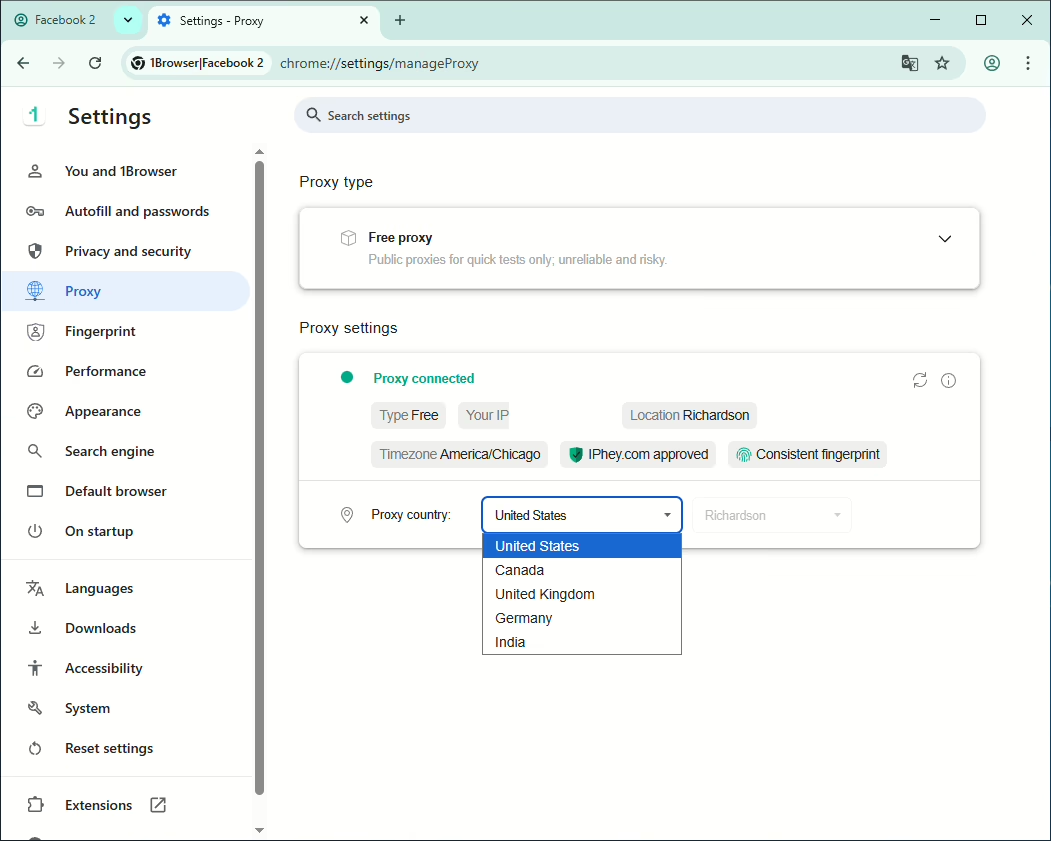
5. This is the most important bit! Go to the “Settings” menu and choose “Proxy.” 1Browser comes with free preloaded proxies from several countries. Selecting a country will activate the corresponding proxy. Alternatively, you can use a residential proxy from a different provider.
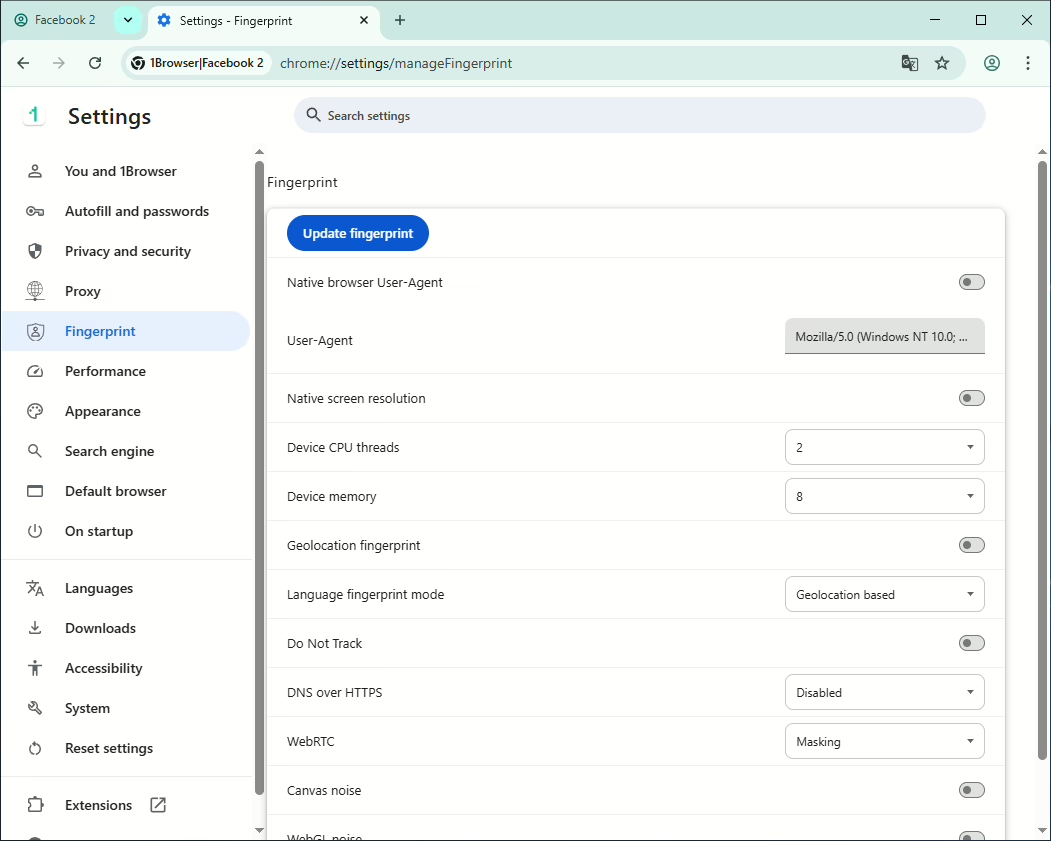
6. Optionally, check out the “Fingerprint” section in the settings. 1Browser already does a good job at randomizing important fingerprint aspects like browser versions and hardware while keeping others consistent. Advanced users may tinker with these settings if they wish.
7. Log into a Facebook account. Closing the profile won’t close the tab or log you out of Facebook.
8. Repeat steps 4 – 7 for every new Facebook account, keeping in mind that each needs a unique IP from your proxy.
Conclusion
Since recovery from a Facebook account ban isn’t guaranteed and may take long even if successful, prevention should be your first priority when multi-accounting. A structured, stable setup with 1Browser at its core is the sustainable way to go.