How to Unblock Telegram in Iran With Proxies (no VPN)

Telegram has been blocked in Iran since 2018, and people living in this country, or people who visit it for tourism or work, have tried many techniques to bypass the restriction.
I have tried too, for many years, and this article serves as my guide to show you the best solutions I found and how to apply them.
I must tell you now, though, that my solutions don’t include using a VPN. Although this is a popular method to unblock regional restrictions, it’s one that quickly starts failing and cause problems like shadowbanning, account bans, slow speeds, and some security risks.
To unblock Telegram in Iran without VPN, I recommend you use a proxy. But where to find a proxy and how to set it up – all this is explained in detail below.
How to unblock Telegram in Iran using proxies
To bypass the restrictions that Iran has on Telegram, there are two ways to proceed:
- Either buy a proxy IP from an external proxy provider and then add it into your browser or device settings
- Or, use a proxy browser that already has proxies built in, so you just open the browser, choose a country, and it connects through a proxy automatically.
Both methods are explained in detail in below:
Method 1: Unblock Telegram in Iran using a proxy from a provider
To get your own proxy, you first need to find the perfect proxy provider. One that has an IP pool of good quality, a large choice of countries, and ethical sourcing. The one I recommend is Floppydata, as it checks all the boxes for a fair price.
To get your proxy from Floppydata, follow these steps:
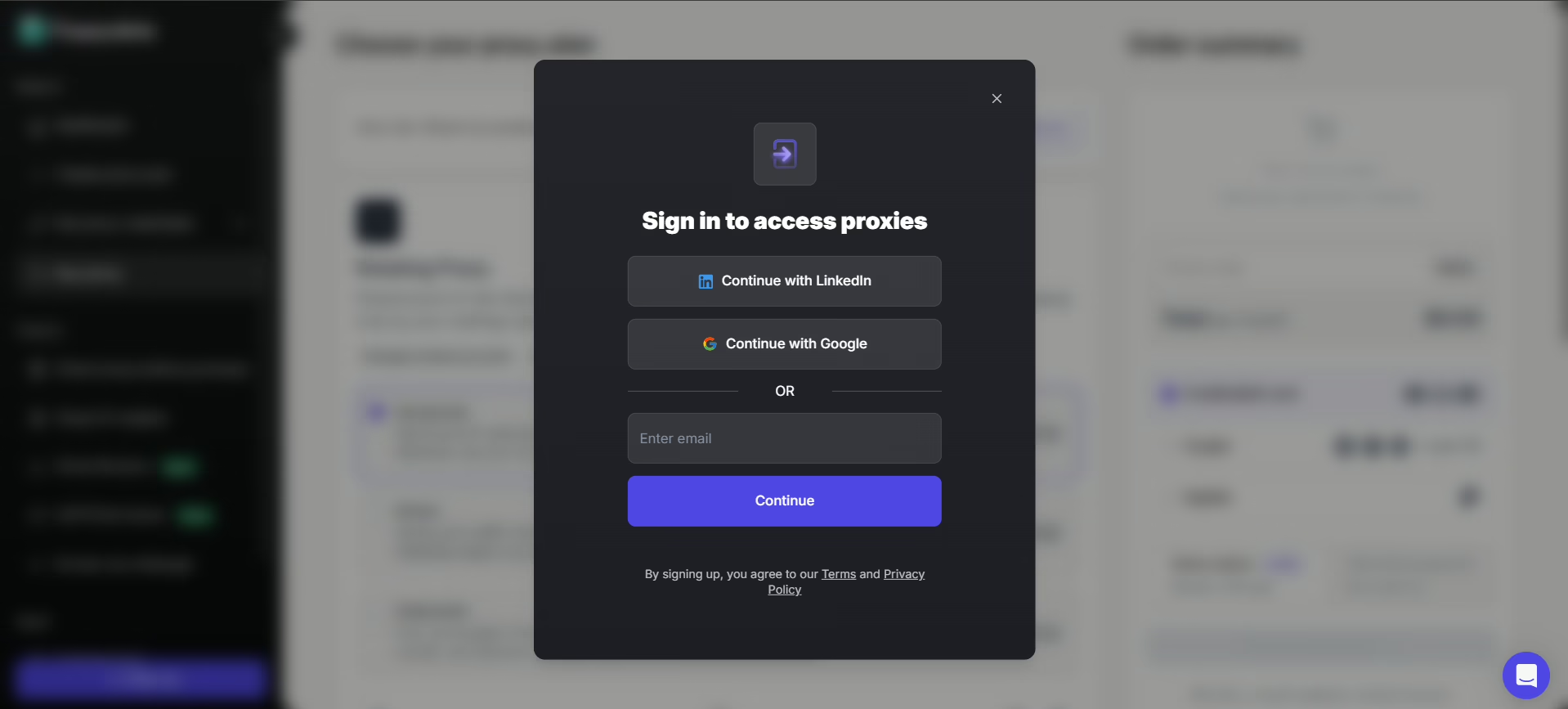
- Sign in to Floppydata or log in if you already have an account
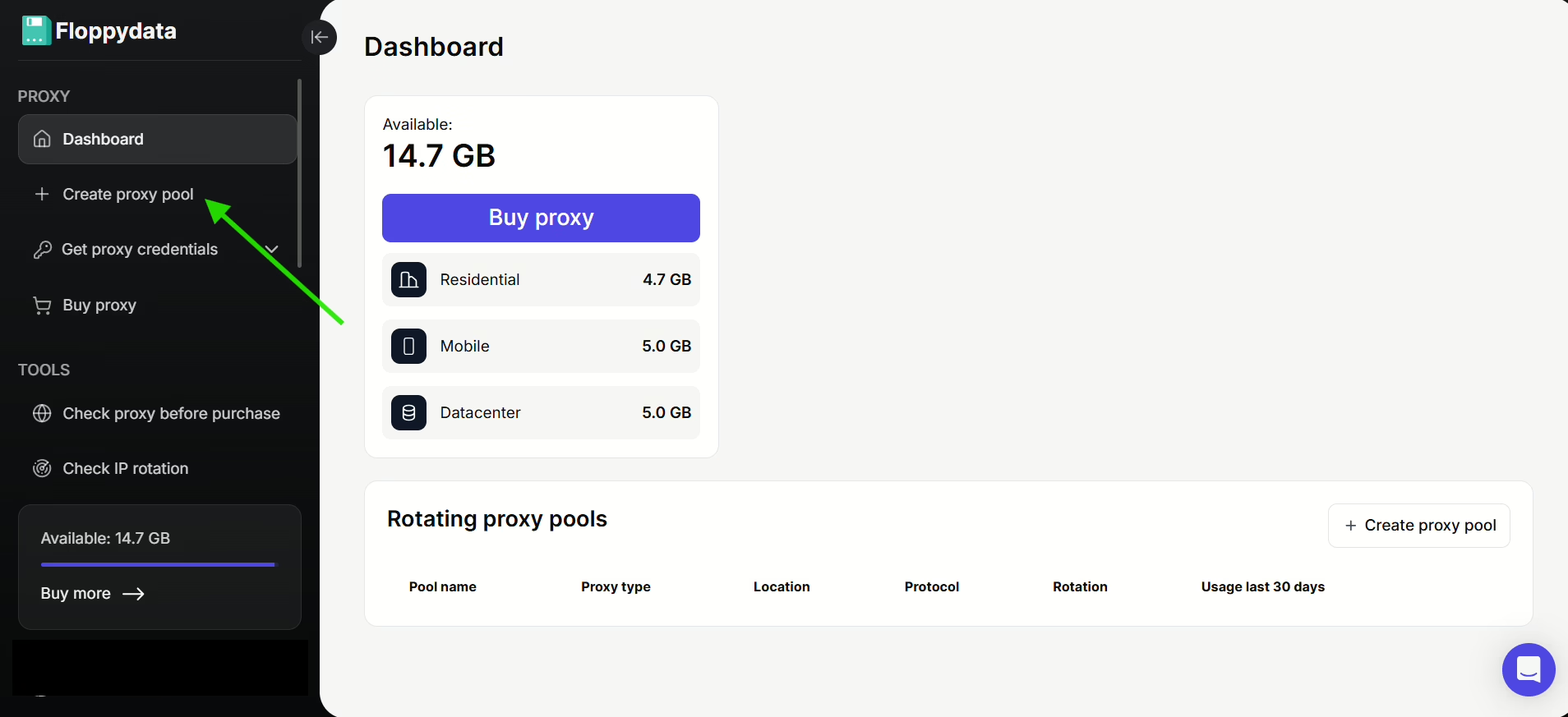
- Once inside the Floppydata dashboard, click on Create proxy pool on the left side bar
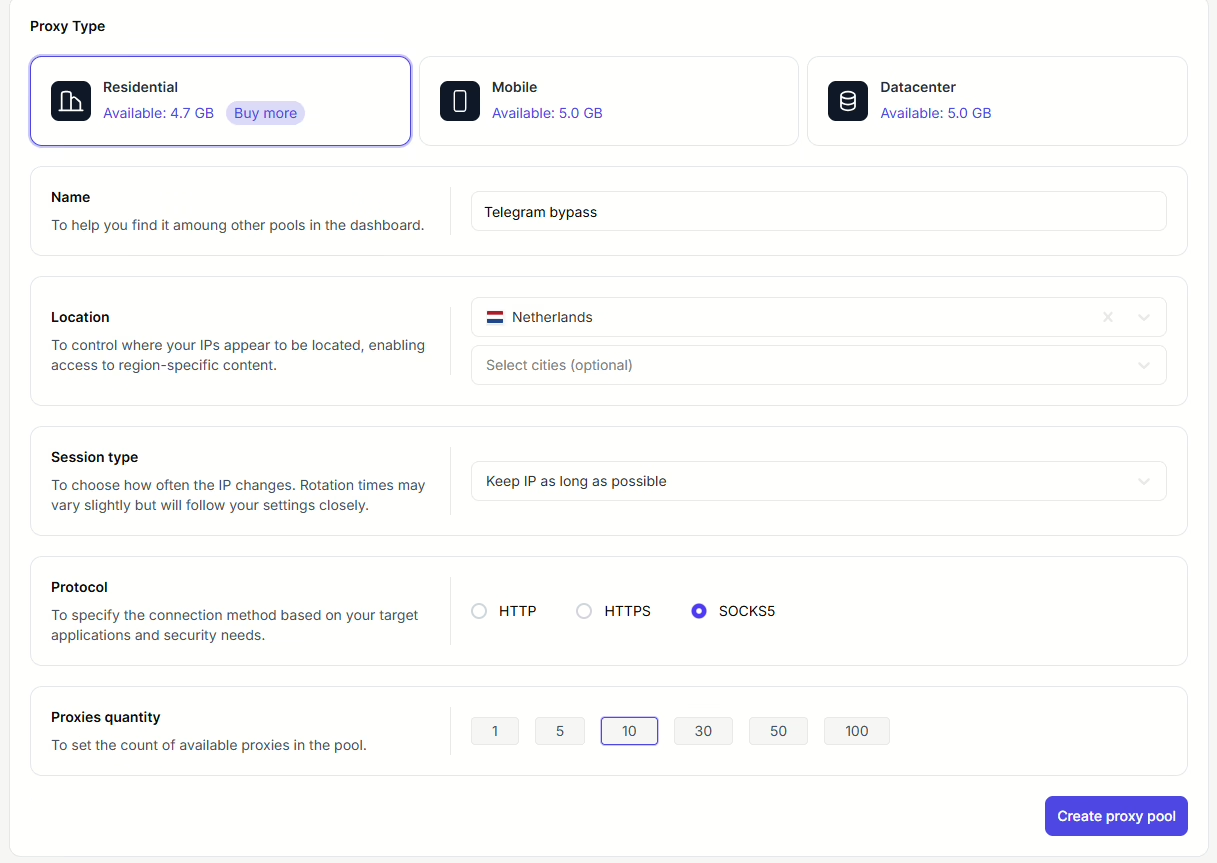
- Fill in the necessary details according to your needs.
Pro tip: When choosing the country of your proxy, choose one that is geographically close enough to Iran for speed, but politically and technically “distant” enough to avoid Iranian filtering. For this example, I’ll choose the Netherlands.
After clicking on Create proxy pool button, your list of proxies will be ready for you to use whenever you want.
Which now brings us to the part where you add your proxy to a browser:
You can set up your proxy on any browser you want, like Chrome or Firefox, but it would be like wearing a mask but keeping your name tag on.
That’s why I highly recommend you set it up on an anti-detect browser because it fixes all the “leaks” that a normal browser ignores.
The best anti-detect browser you can use to safely unblock Telegram in Iran is 1Browser, which is also a proxy browser. It looks almost exactly like Chrome, so there is nothing new to learn about how to use it to navigate the internet, you just need to learn how to set up your proxy in it.
To activate your Floppydata proxy on 1Browser, follow these steps:
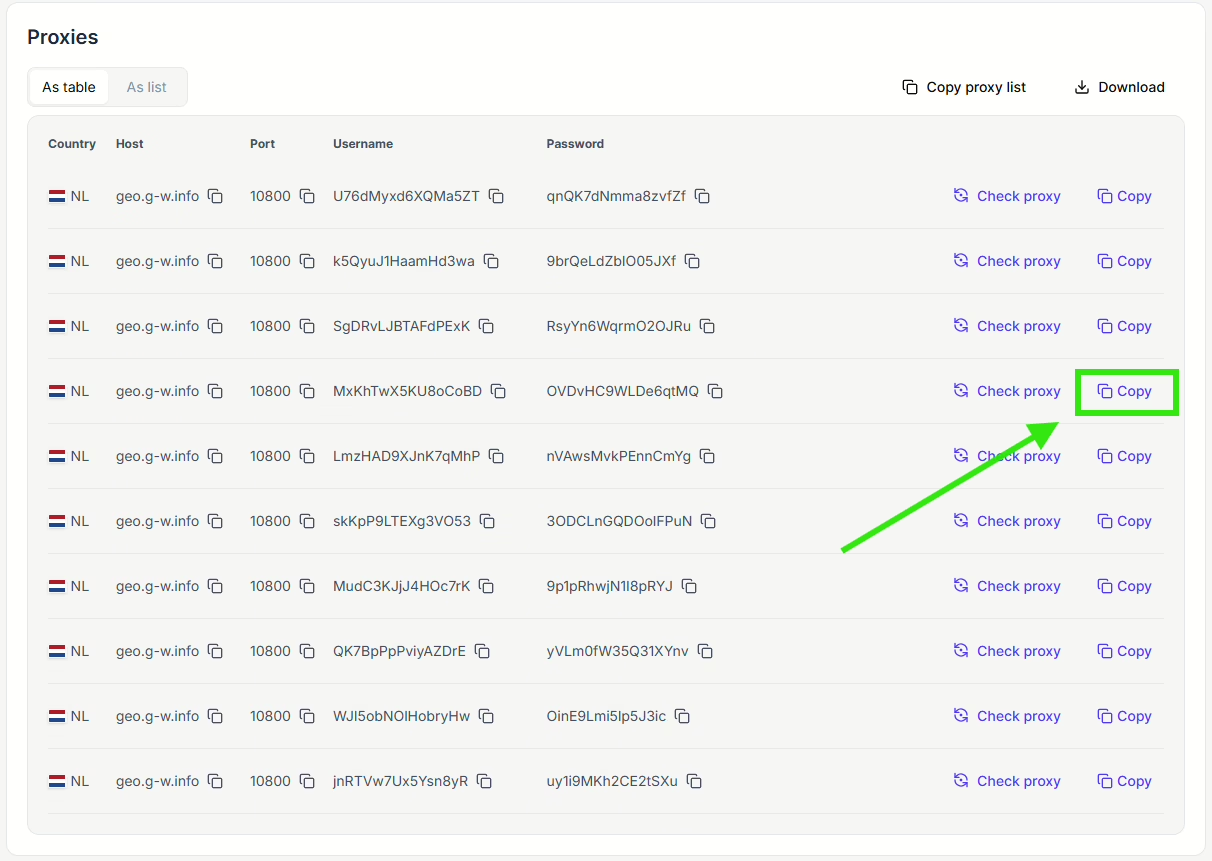
- Go to the list of proxies you generated on Floppydata, choose one of them and click on the copy symbol. This will copy the chosen proxy’s information in this format: http://username:password@proxy:port
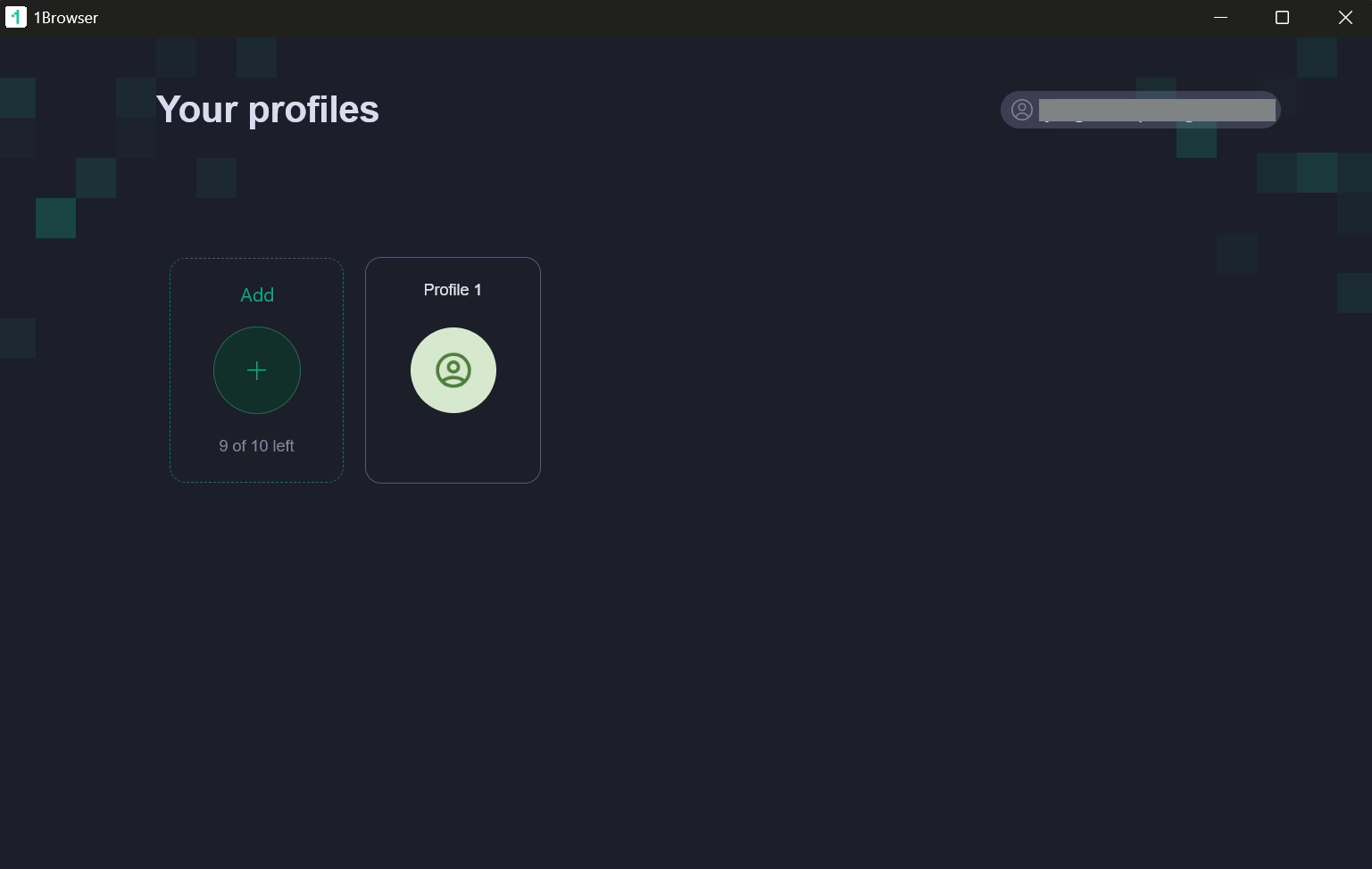
- Install the 1Browser app on your device, open it, sign in, and create a profile (you can create up to 10 profiles for free).
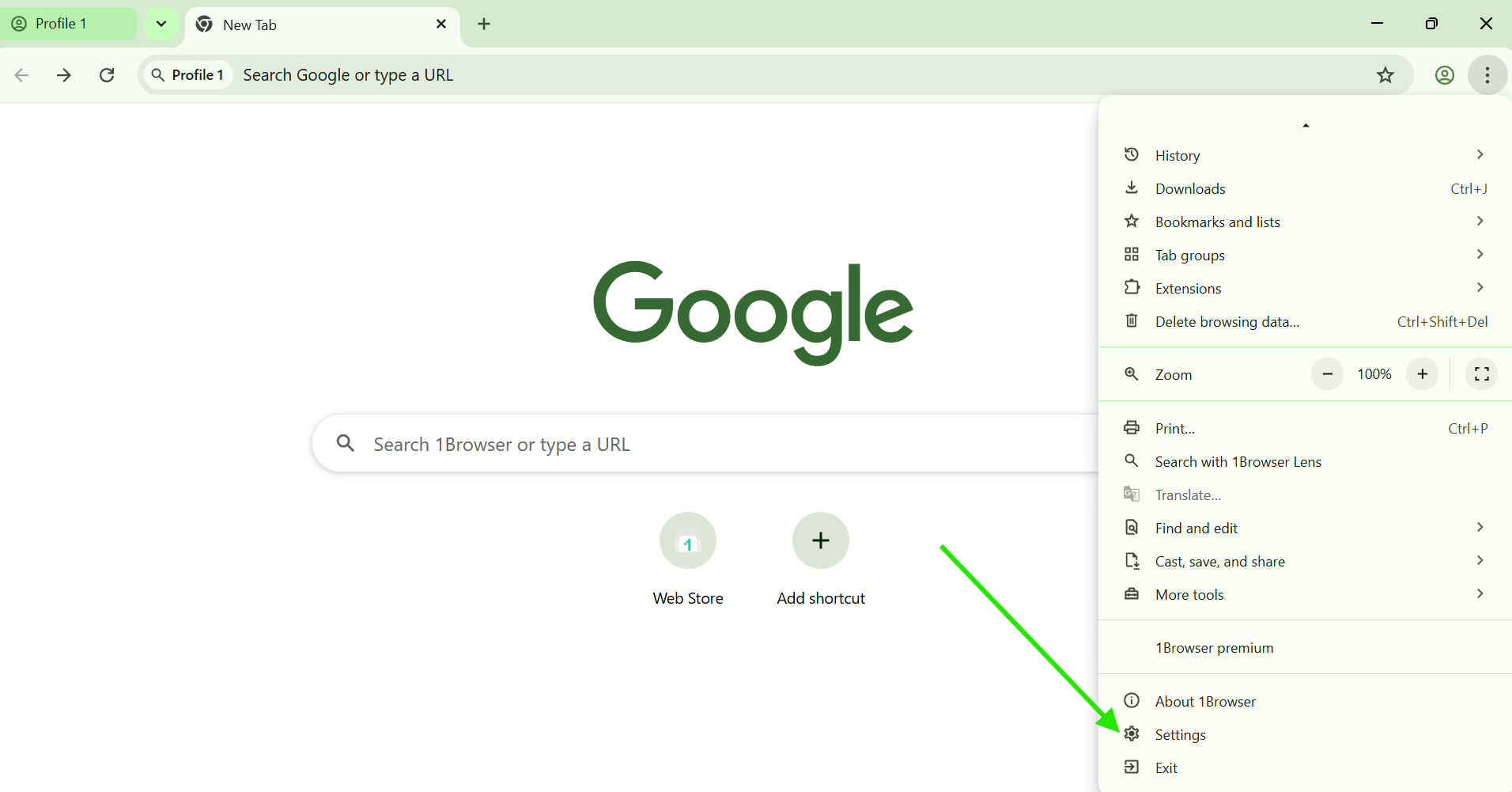
- Open your profile and go to its settings by clicking on the three dots at the top right corner then Settings.
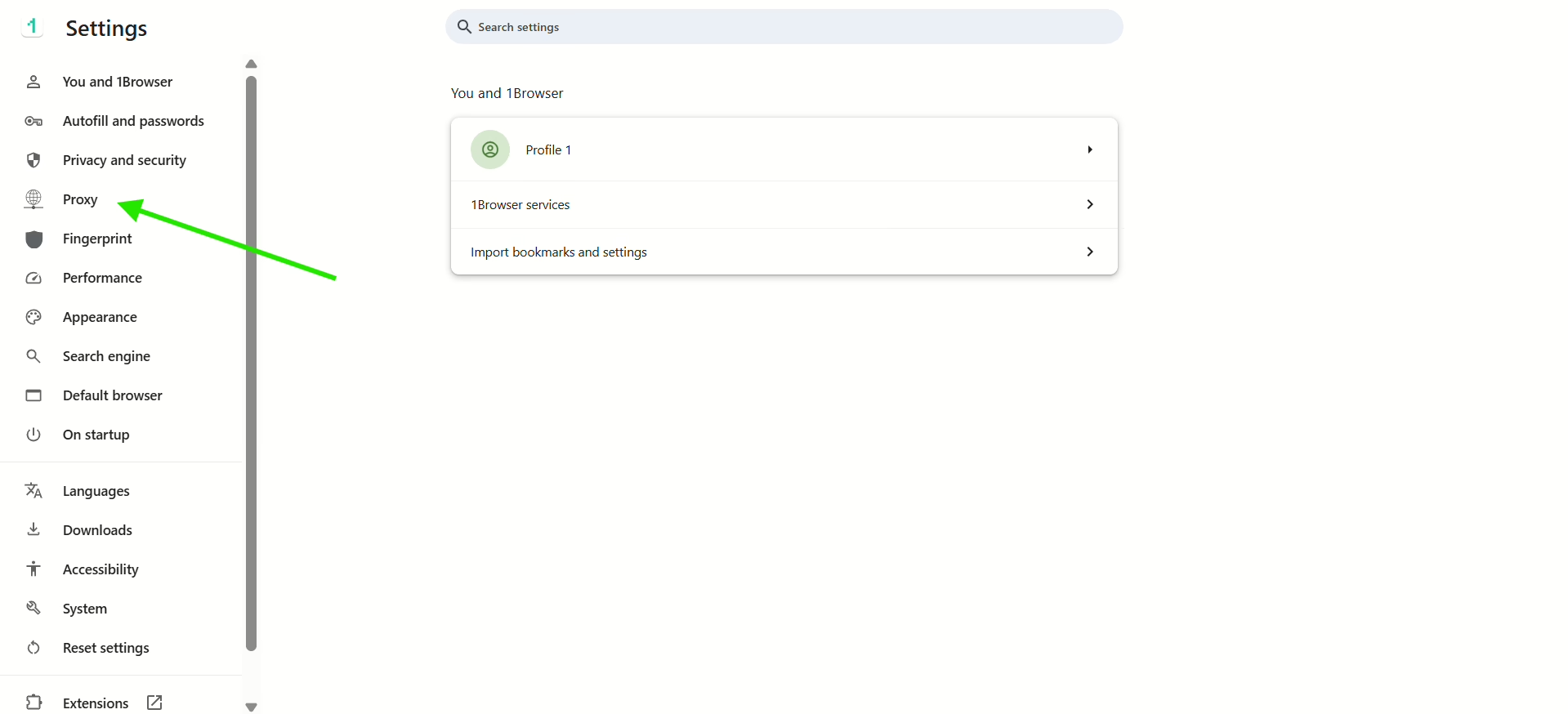
- On the left sidebar, select Proxy
- In proxy type, choose User proxy, and inside the input field in Proxy settings, paste the proxy address you’ve copied earlier from Floppydata. Wait a little until you see the green “Proxy connected” comment that indicated that your proxy is now active on the browser.
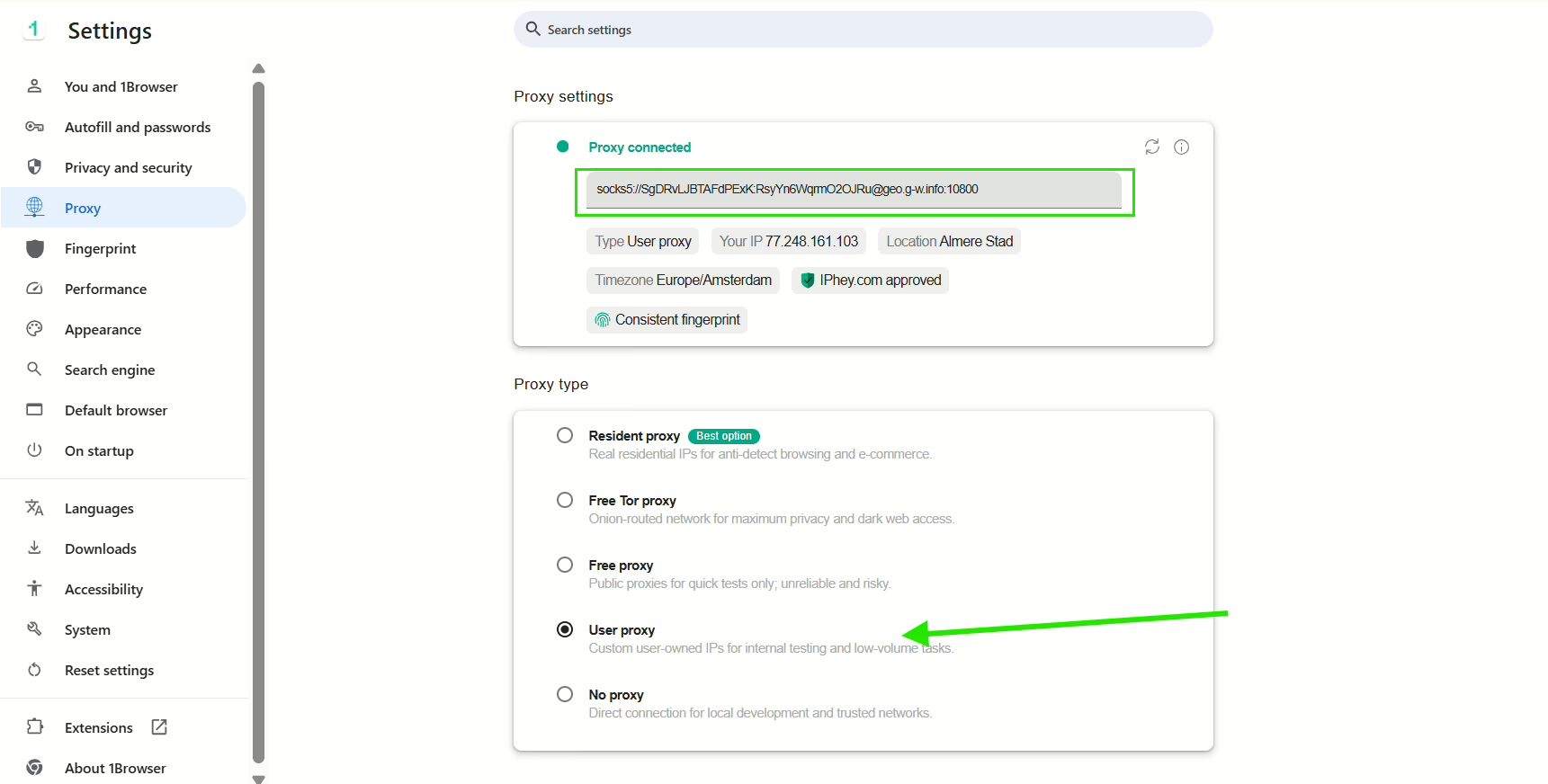
That way, you’d have successfully connected your proxy to 1Browser, and it’s time to test it out and see if your location has changed.
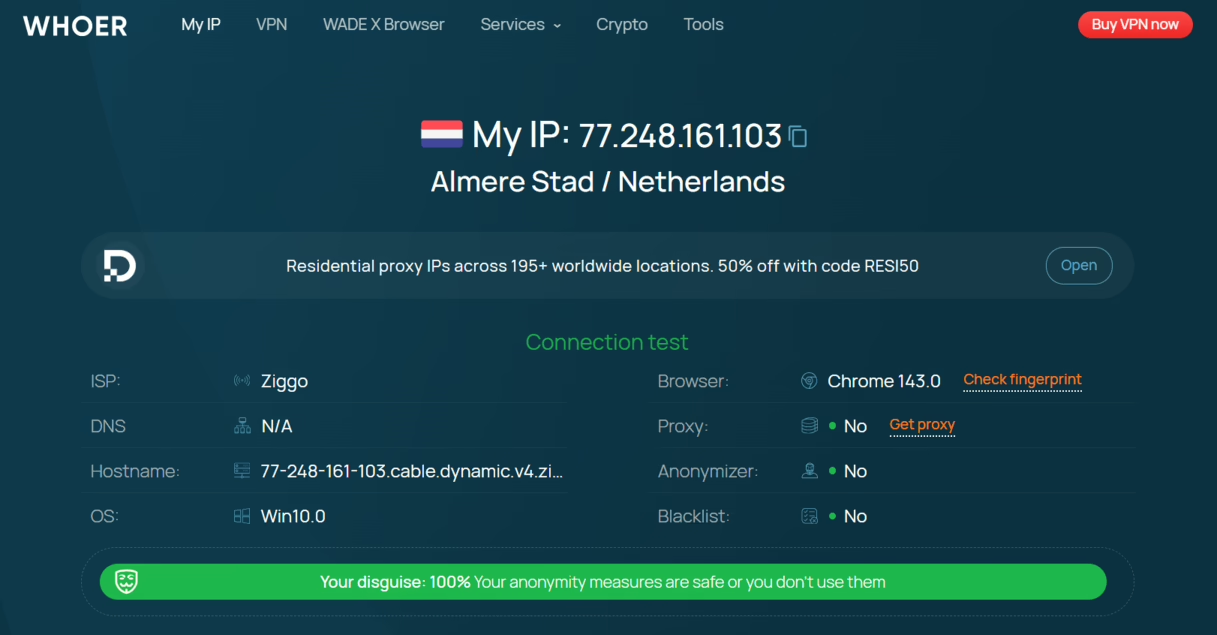
Here’s the test I did using Whoer, which clearly shows that my IP address has successfully been changed to an Amsterdam IP address, and which also means that I can access Telegram freely even if I’m in Iran!
Method 2: (Shortcut) Unblock Telegram in Iran using 1Browser’s built-in proxies
You can skip the whole part about getting a proxy from a separate proxy provider simply because 1Browser already has built-in proxies that you can use directly on the browser.
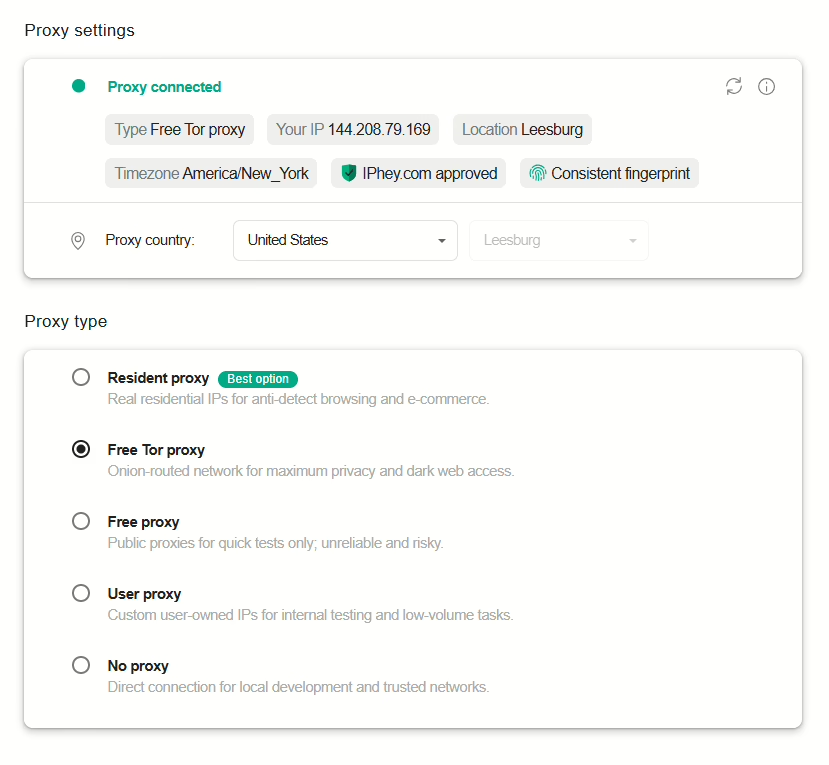
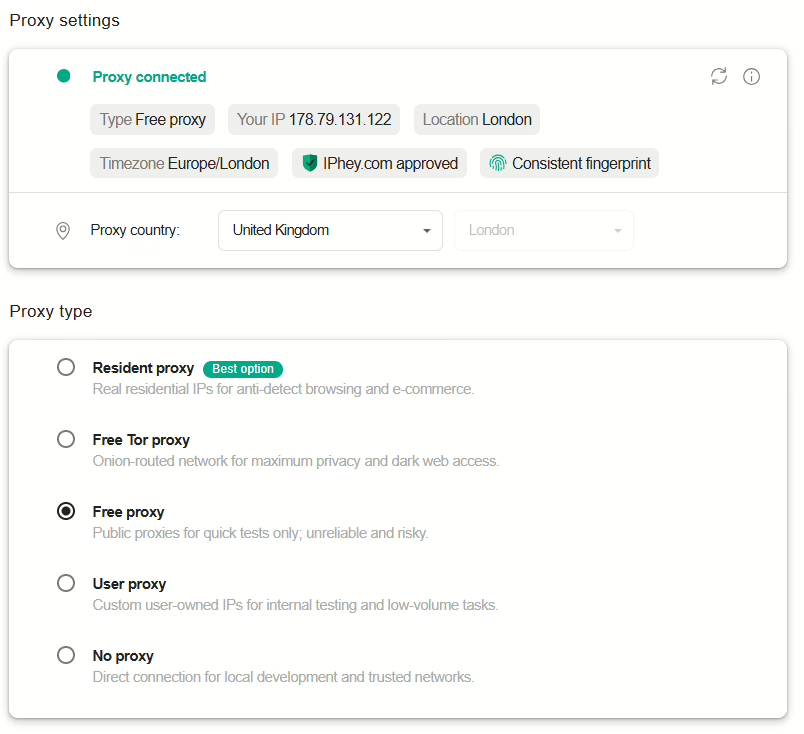
All you have to do is choose a different proxy type from this list (instead of User proxy)
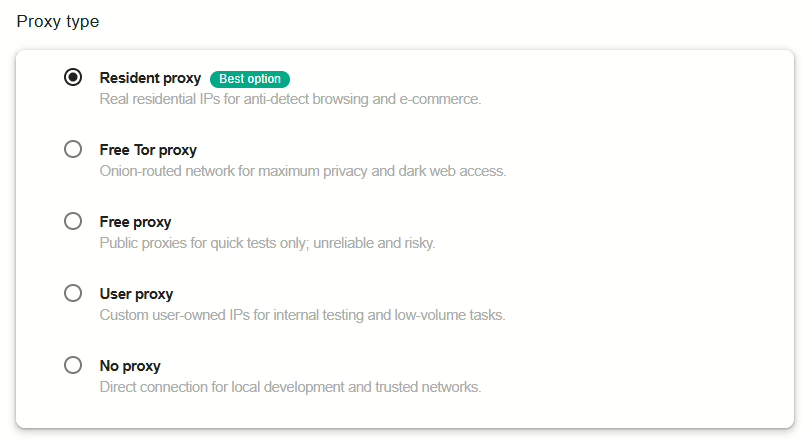
Here is each type explained:
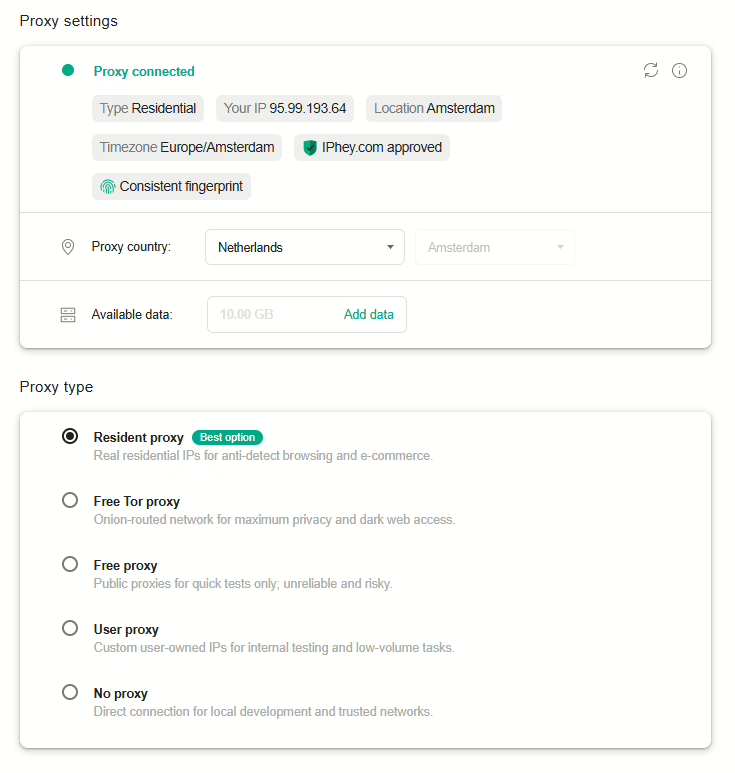
- Resident proxy: this is a proxy that uses the IP address of a real person’s home internet. You can get one from an external provider like Floppydata, but you can also skip this and directly use one from 1Browser’s built in proxies. Just choose a country and it will automatically set up the right proxy for it.
- Free Tor proxy: This is the hardest connection for a government to track or block because it routes your traffic through Tor (The Onion Router) Network, which means your data is encrypted and bounced through three different volunteer servers around the world. This is great for maximum privacy or to access the dark web, but note that it is very slow so large files and videos will take a long time to load.
- Free proxy: This is a public list of servers that you can use for free, but only for quick, non-sensitive tasks because so many people use them, so they are frequently blocked by sites like Telegram.
Final Thoughts
Now that I explained both methods to unblock Telegram in Iran in detail, what we can conclude here is that if you’re not very tech savvy and don’t want to bother yourself with getting proxies from external sources, just use one platform that gives you both the proxy and the browser: 1Browser, which allows you to create up to 10 profiles and use 5 proxy IPs for free!